

Data always encrypted
Database, conversations, credentials and mail are encrypted at rest with a key derived from your PIN.
The AI workspace that works for you.
A desktop agent that writes code, runs commands and works with Git, together with your mail, notes and documents. With your data encrypted on your computer, and more than twenty AI providers or fully offline.
Discover every feature of Kodinn and KodinnCli · KodinnCli
Want to be told at launch? Get in touch.
Database, conversations, credentials and mail are encrypted at rest with a key derived from your PIN.
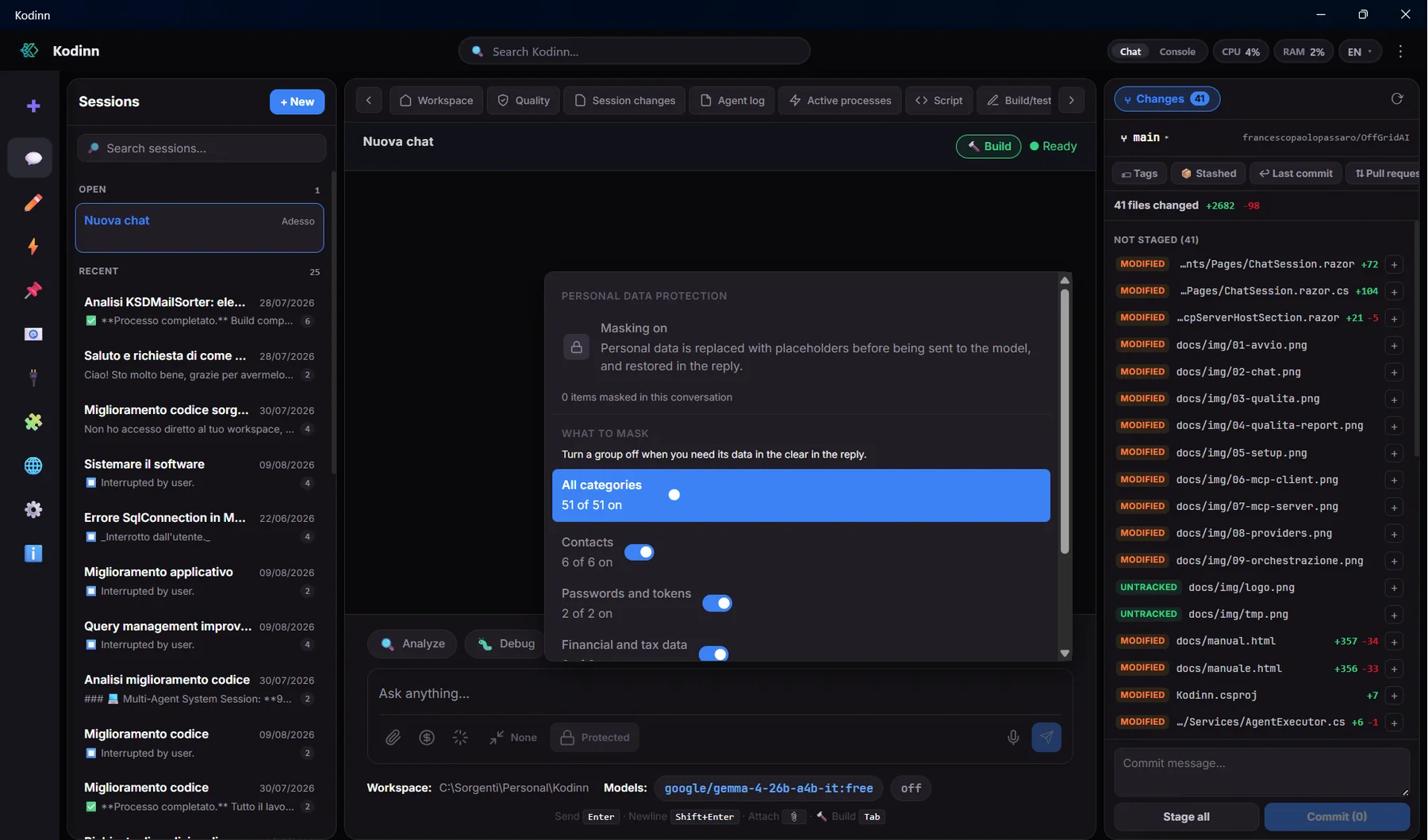
PrivacyGuard masks names, emails, IBANs, tax codes and keys before a message leaves your computer.
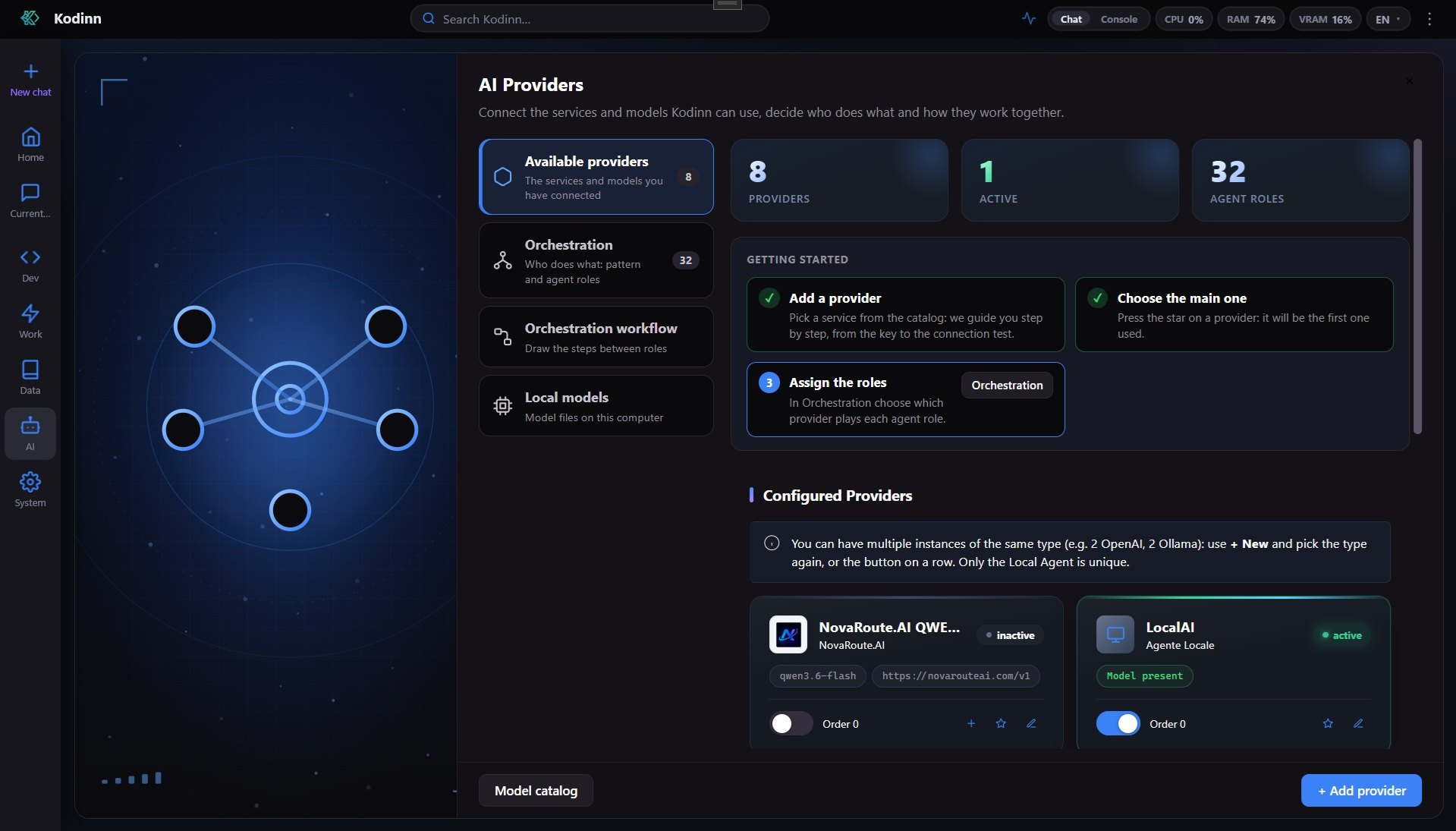
More than thirty providers, several instances, a different model per role and automatic failover. No lock-in.
Local models run inside Kodinn on CPU or GPU through DesireeIA. No network, no account, no per-token cost.
QualityGuard: static analysis across 27 languages with a Quality Gate, used by the agent on the code it writes.
Caveman compresses the conversation instead of cutting it and aligns with the provider's cache.
Sessions, chat, Git, diff, browser and panels side by side, in Italian, English and Chinese.
Hot-installable plugins, each with its own encrypted database and explicit consent.
Code Studio is Kodinn's development environment: menus, solutions, editor, language servers, build, debug, tests, quality and Git, all in one window. And every panel talks to the AI you chose: local, remote or orchestrated.
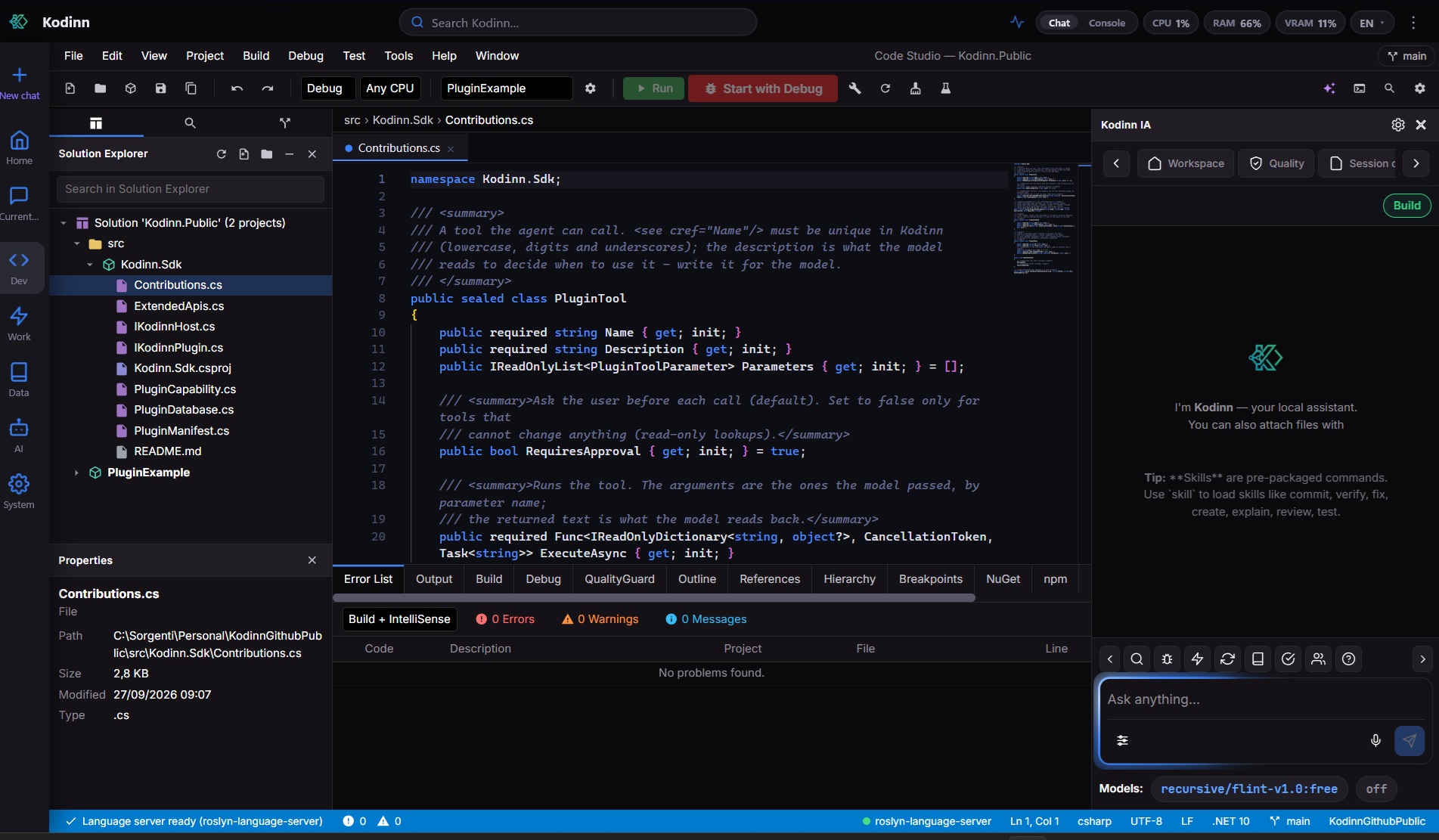
Every language has its own language server, already catalogued, and mostly installable by Kodinn in one click (for the rest the wizard tells you what to install). Open a folder, the wizard recognises the languages and sets up the right servers: completion, hover, go to definition, rename, quick fixes, formatting, references, CodeLens and inlay hints. Kodinn automatically sees your project's libraries, third-party ones included, and IntelliSense handles them: in Razor files components complete by reading the referenced DLLs.
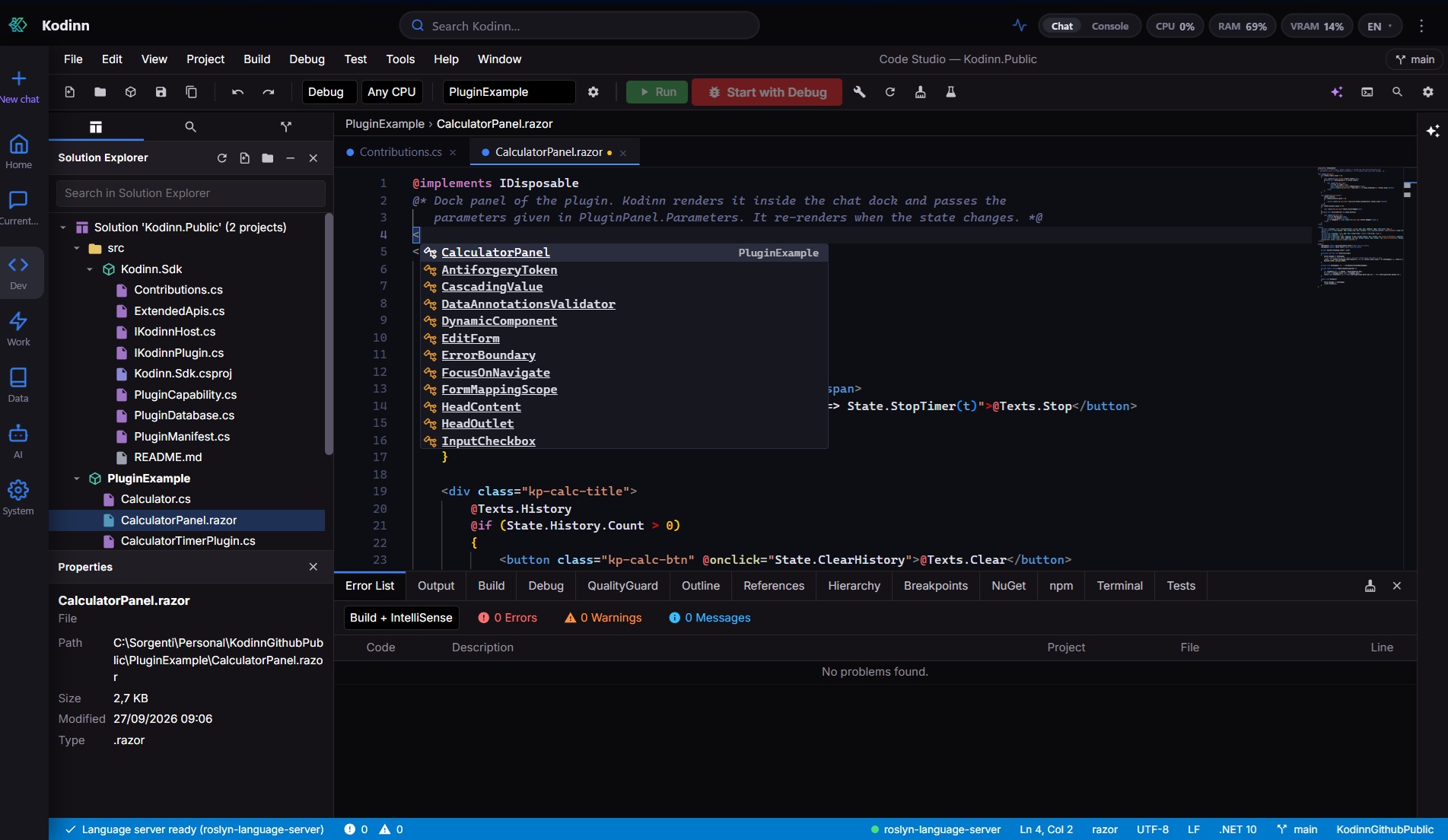
Build, run and debug .NET, Node, Rust, Go, Python, Java, PHP and C/C++. Launch profiles imported from launchSettings.json, Visual Studio and VS Code, multi-project startup included. The browser opens only for web apps, in the one you choose.
Discovers tests without running them, runs all of them, per project or one at a time, and debugs them. Coverage shows in the editor margin, line by line.
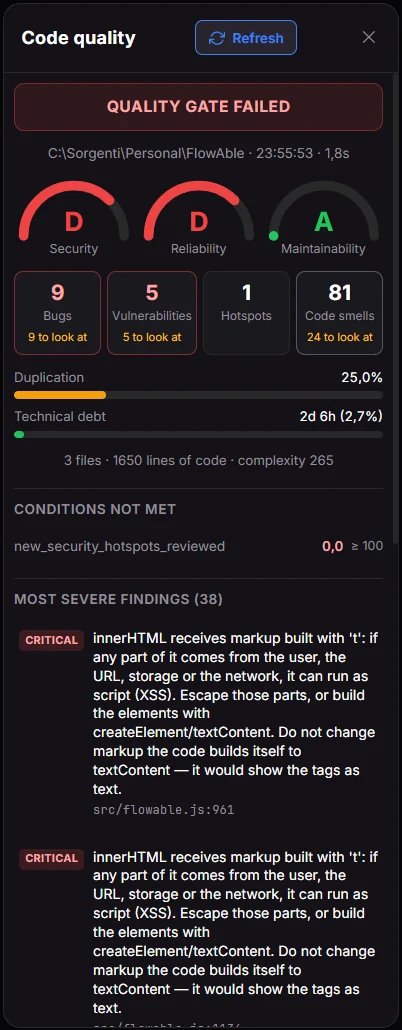
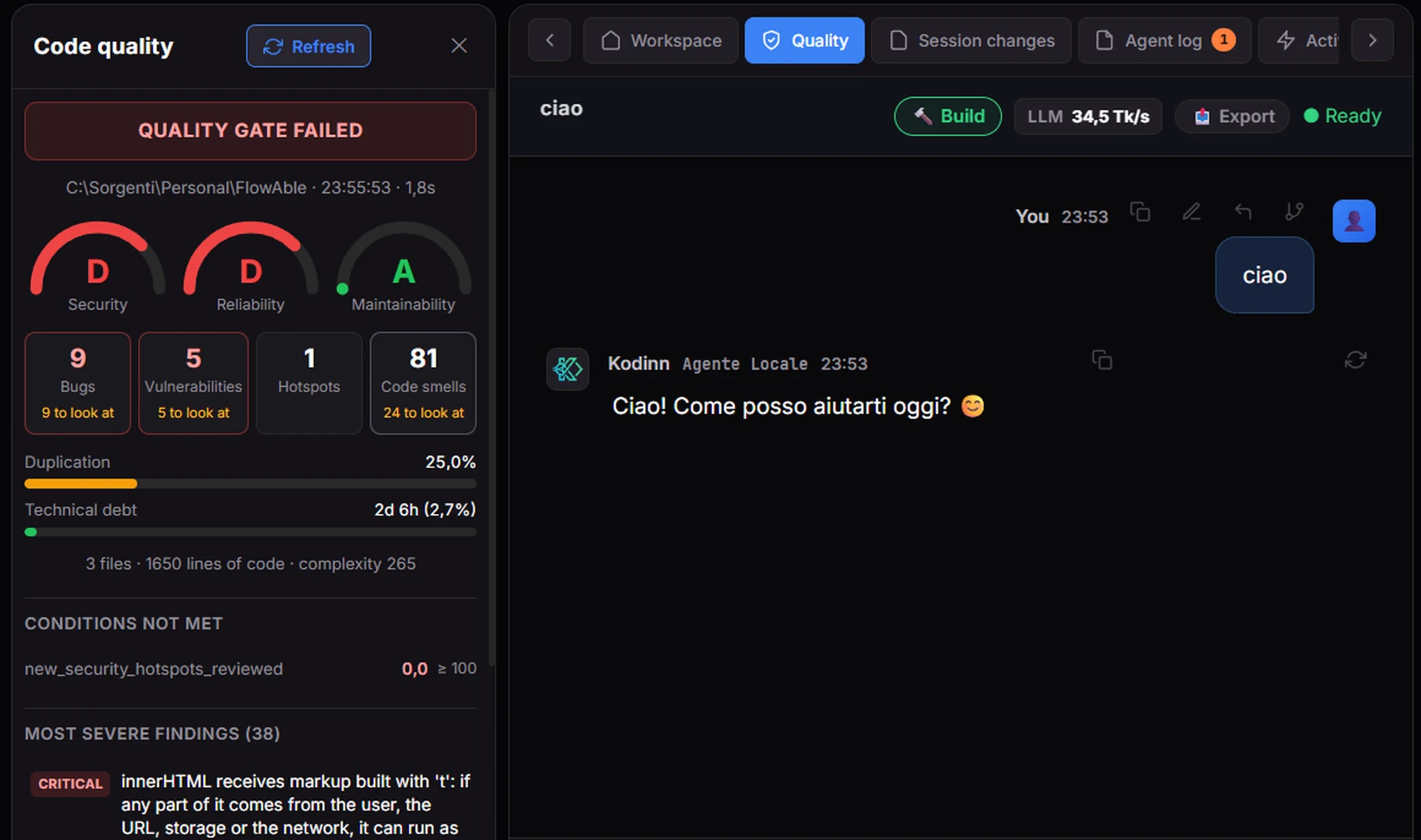
The Quality Gate inside the studio, with ratings, conditions and jump-to-line. With QualityCode the report goes to the AI on every send, with the order to fix it.
The very same full-screen Git module opens over the editor: graph, diff, rebase, stash, pull requests. On close the branch and explorer refresh.
NuGet console with Install-Package and dotnet commands, npm console, package and reference management, target frameworks editable while preserving the csproj BOM, line endings and comments.
A market built on Open VSX, or from GitHub and from file: color themes, snippets, TextMate grammars and language configurations. Extension code is never run, and licenses are checked first.
The wizard detects your folder's languages and installs most servers in one click (dotnet tool, npm, pip, go, rustup, winget, brew). Never a surprise install, and the server shuts down after 90 idle seconds.
Tasks from .kodinn/tasks.json and .vscode/tasks.json with dependencies and variables, a terminal with several shells (pwsh, PowerShell, cmd, Git Bash, zsh, bash) and a 10,000-line history.
The side panel hosts Kodinn's real chat, attached to the open solution: the agent reads, edits and builds the project, asking before risky steps. It also has Plan only, which touches nothing, and plain chat without tools. A dedicated tool hands it the studio's errors, warnings and open files.
Chat, file actions, commit message, change review, build-error fixes: they all use the provider and model you picked. Local with DesireeIA, remote with more than thirty providers, or orchestrated by role with failover.
A registry of 29 language servers with guided install: the wizard recognises the folder and sets up what you need. JSON, HTML and CSS use the editor's native service.
Code Studio is under active development: many features are proven with real servers and debuggers, others (for instance Go and Rust debugging, or MAUI XAML completion) are still being verified.
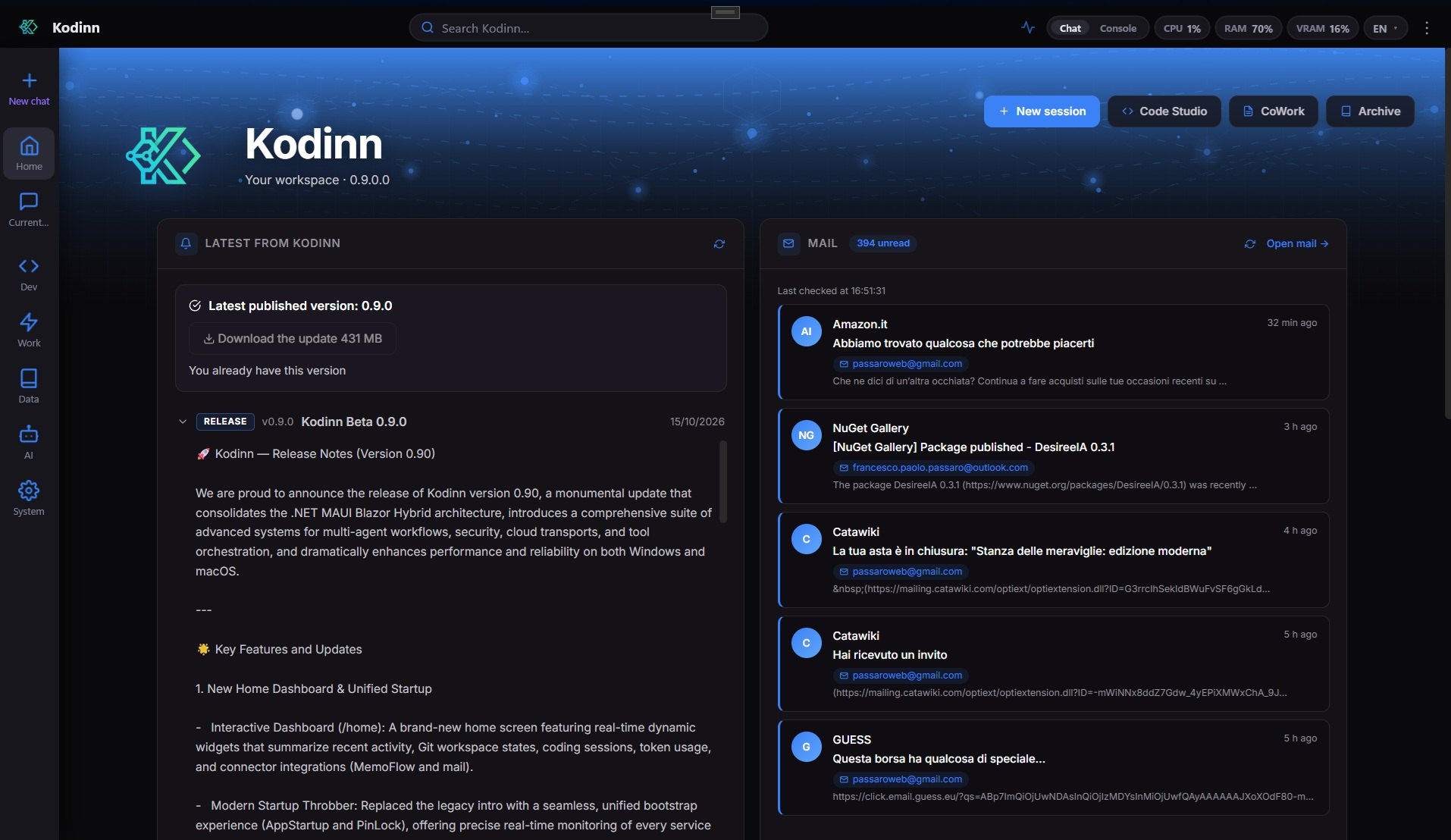
Kodinn has no chatbot bolted on the side: artificial intelligence lives inside every tool. Code, Git, Azure DevOps, databases, mail, notes, archive and browser talk to the same agent, and you decide where it runs.
DesireeIA runs GGUF models inside Kodinn, on CPU or GPU. No network, no account, no per-token cost: your code and documents never leave the PC.
More than thirty preconfigured providers, several instances of each, compatible with OpenAI, Azure, Anthropic, Ollama and others. Switch models without switching tools.
32 roles and 19 orchestration patterns: a different model for each role, picked by specialisation, with automatic failover, per-minute limit control and a timeout watchdog. Planner, executor and reviewer work together.
About eighty tools (files, search, shell, build, Git, browser, memory, databases), each with an allow or ask permission. Undoable edits, a diff of every file, plan mode, sub-agents and teams. Credentials stay in the vault: the model never sees them.
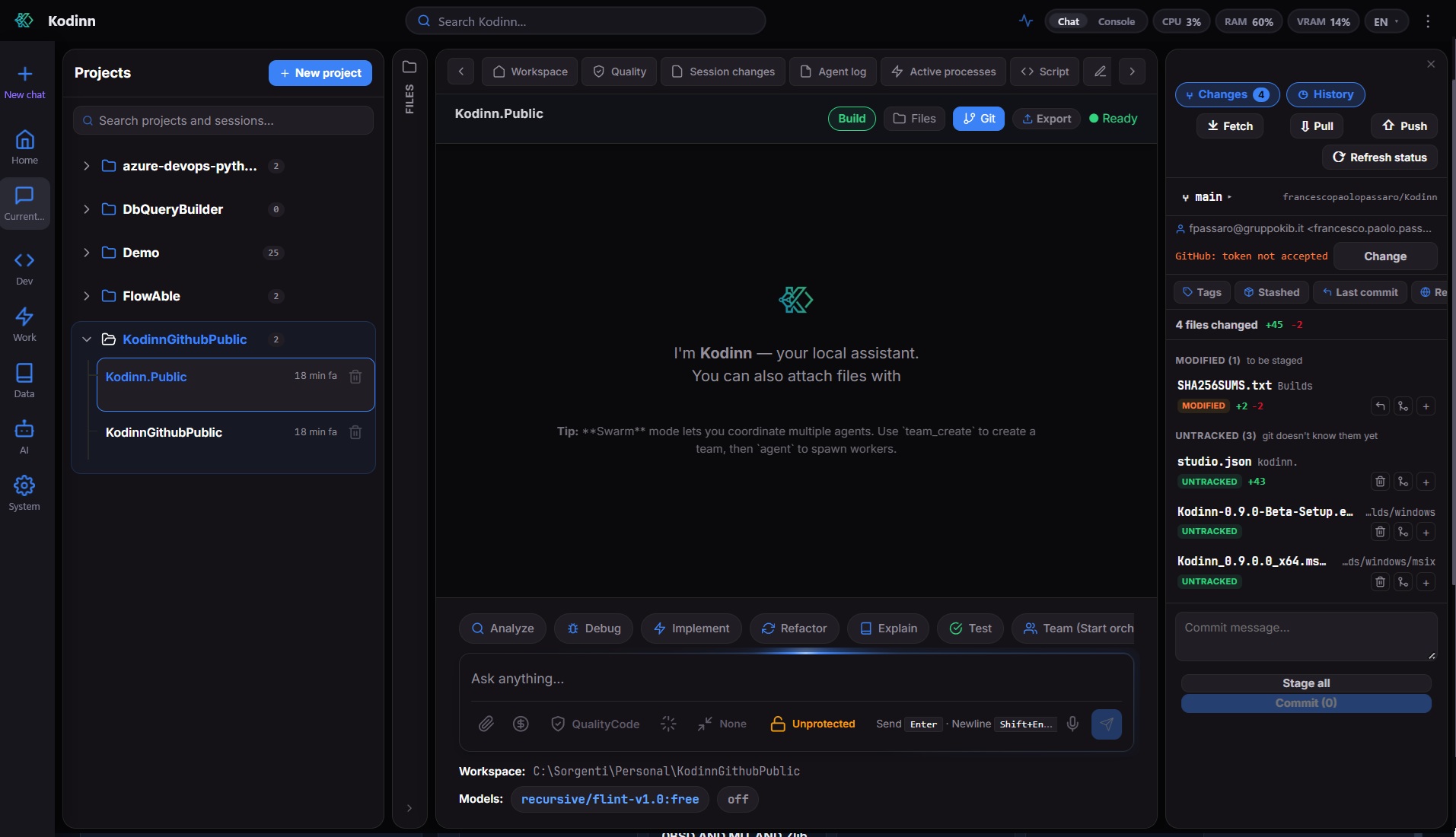
A commit message written for you, a commit explained and your staged changes reviewed.
An assistant inside the views, with a permission you grant organization by organization.
Query your data: read-only is enforced, for the agent too.
The agent reads and drafts in EmailFlow and MemoFlow and searches the encrypted archive (RAG) with its knowledge graph.
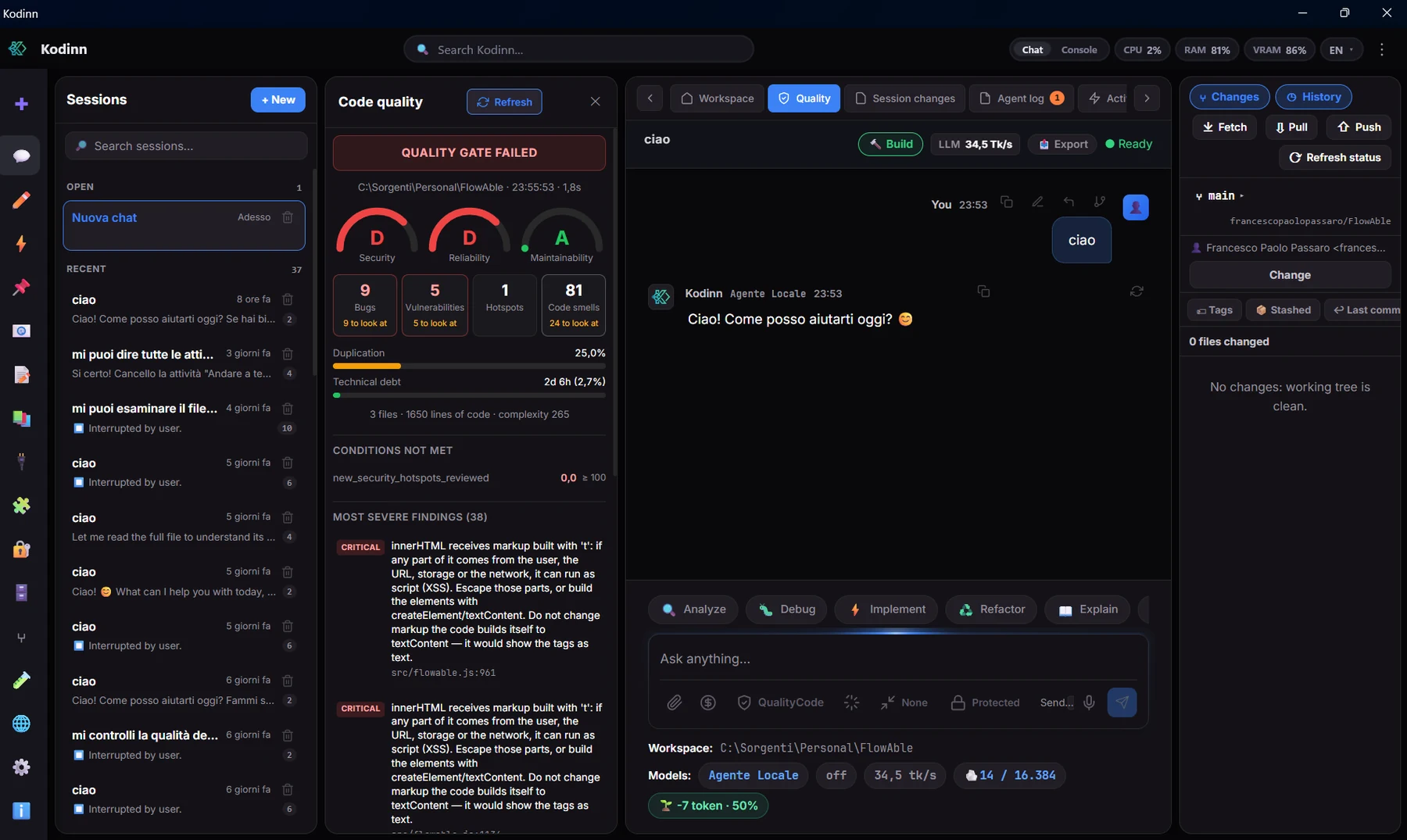
An AI that writes code should also know whether that code is any good. QualityGuard analyzes the project with a real static-analysis engine and tells the agent whether the Quality Gate passes, before it hands the work back to you.
Bugs, vulnerabilities, hotspots, code smells, duplication and technical debt in a single panel, kept up to date by the agent while it works.
Not a wrapper around someone else's tools: DesireeIA is an inference engine written for the .NET ecosystem, with a native C++ core and a clean public API. It runs models on your computer, inside Kodinn's process, with no network.
CPU (AVX, AVX2, AVX-512, NEON, NUMA), GPU, NPU and available RAM.
RAM budget, threads, quantization and format picked automatically for your model and your PC; every parameter can be overridden.
A native context with a multi-tier cache, in-process, offline.
Reads GGUF and safetensors; multi-architecture dense forward with GQA, RoPE, RMSNorm and gated FFN.
Experts streamed from disk with an LRU cache, a learned hot set that keeps the most used experts, next-layer prefetch and dual-SSD mirror.
Long contexts with less memory, thanks to key-value cache compression.
C++17 core with a stable C ABI and a .NET wrapper: native performance, clean integration into the app.
The Local Model Hub connects to trusted sources, starting with Hugging Face, and compares each model with the RAM, GPU and NPU you actually have. No blind guesses: you see at once whether it fits, download it, and it works.
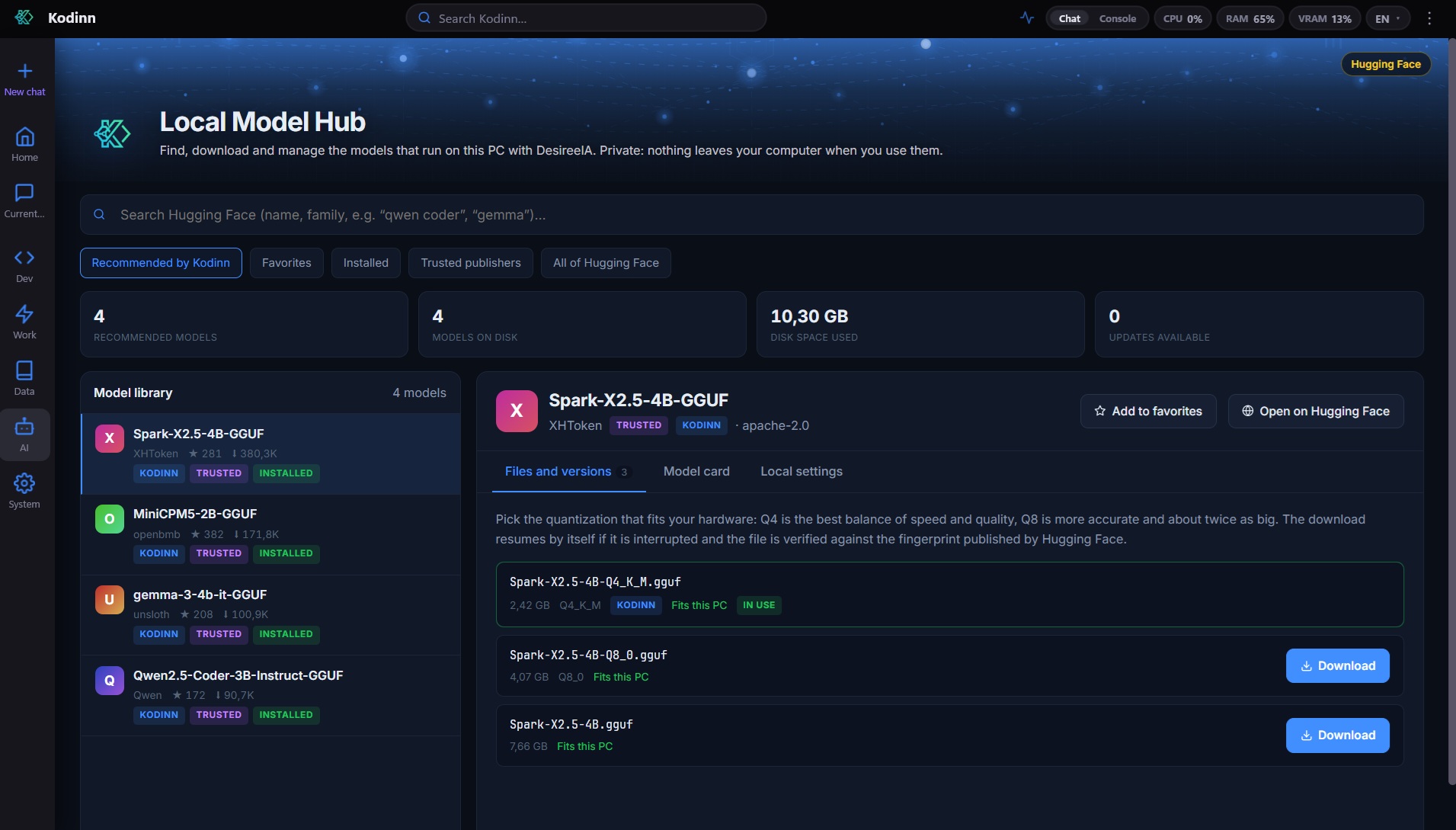
Every model is weighed against your computer's RAM and the dedicated GPU's VRAM: “Fits this PC”, “Tight on memory” or “Too big for this PC”. The GPU badge says whether it fits entirely on the graphics card, and any Axelera NPU is flagged. You know in advance whether it's usable, before downloading gigabytes.
Recommended by Kodinn, favorites, installed, trusted publishers and all of Hugging Face. Downloads only from huggingface.co, read-only, no account.
The download resumes where it stopped and is verified with the file's fingerprint. See files and versions, the model card and local settings.
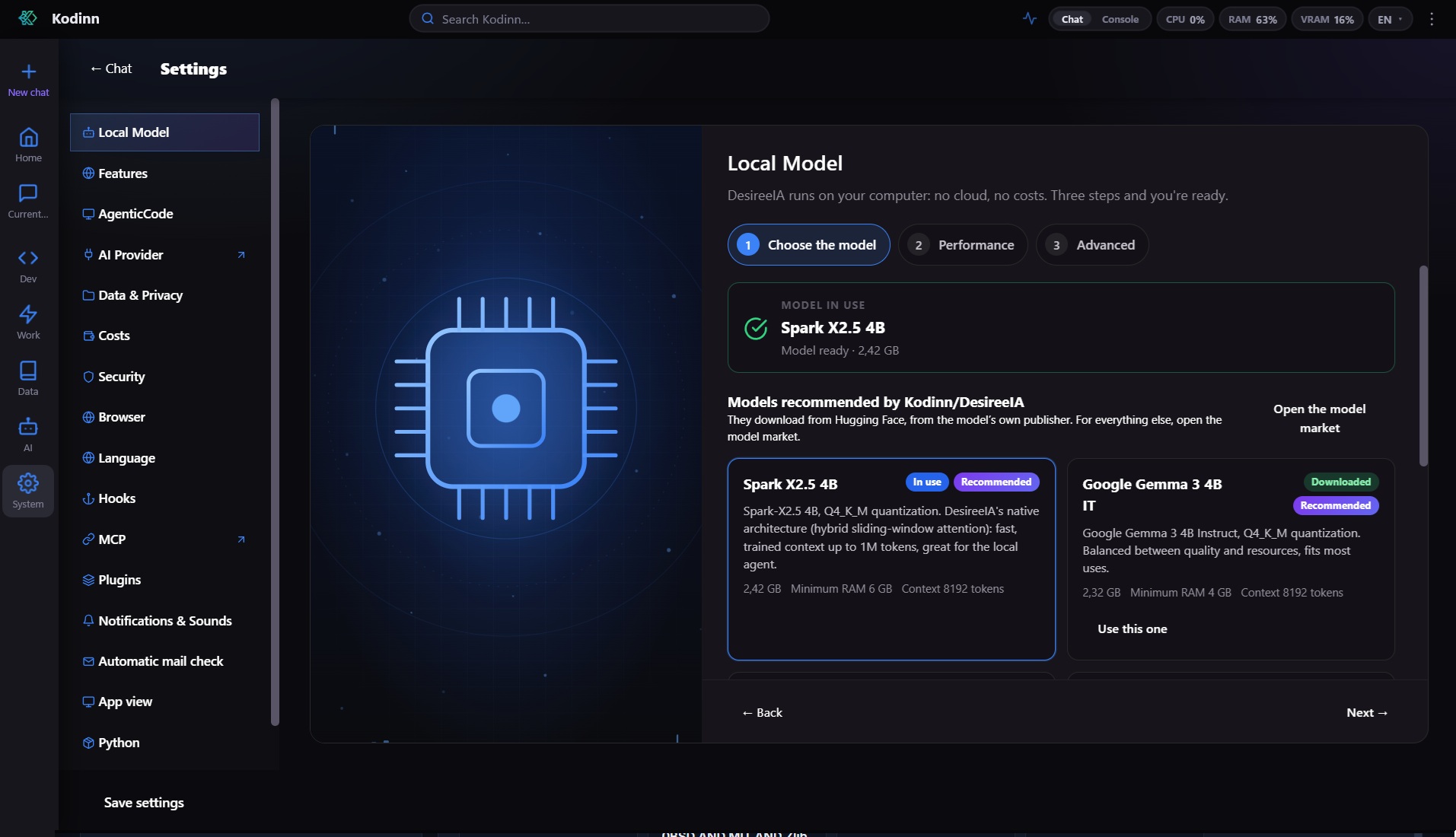
DesireeIA picks the RAM budget, threads, quantization and format for your model and your PC. Every parameter can be overridden.
In Settings, Local Model, choose the model, tune performance and, if you wish, the advanced parameters. Then Kodinn uses it for chat, agent and Code Studio, fully offline if you like.
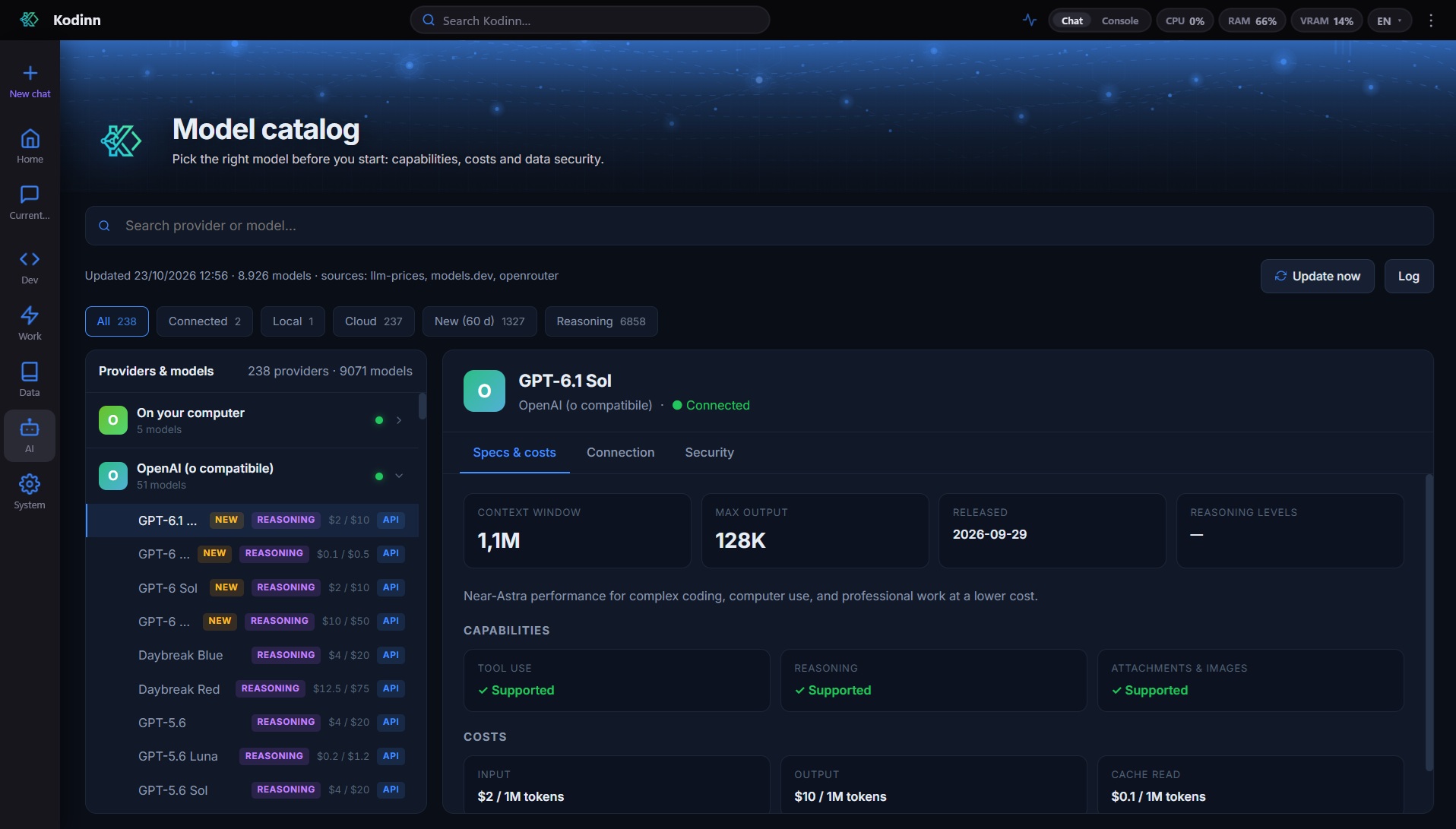
For remote models, the built-in catalog gathers providers and models from several public sources (llm-prices, models.dev and OpenRouter) with specs, costs, connection and security. Prices refresh on their own, and an unknown price is never guessed.
A single place where you decide which skills to install and enable, which to import from other tools and which to create. Every skill can be inspected first: what it does, which scripts it runs, what it can touch.
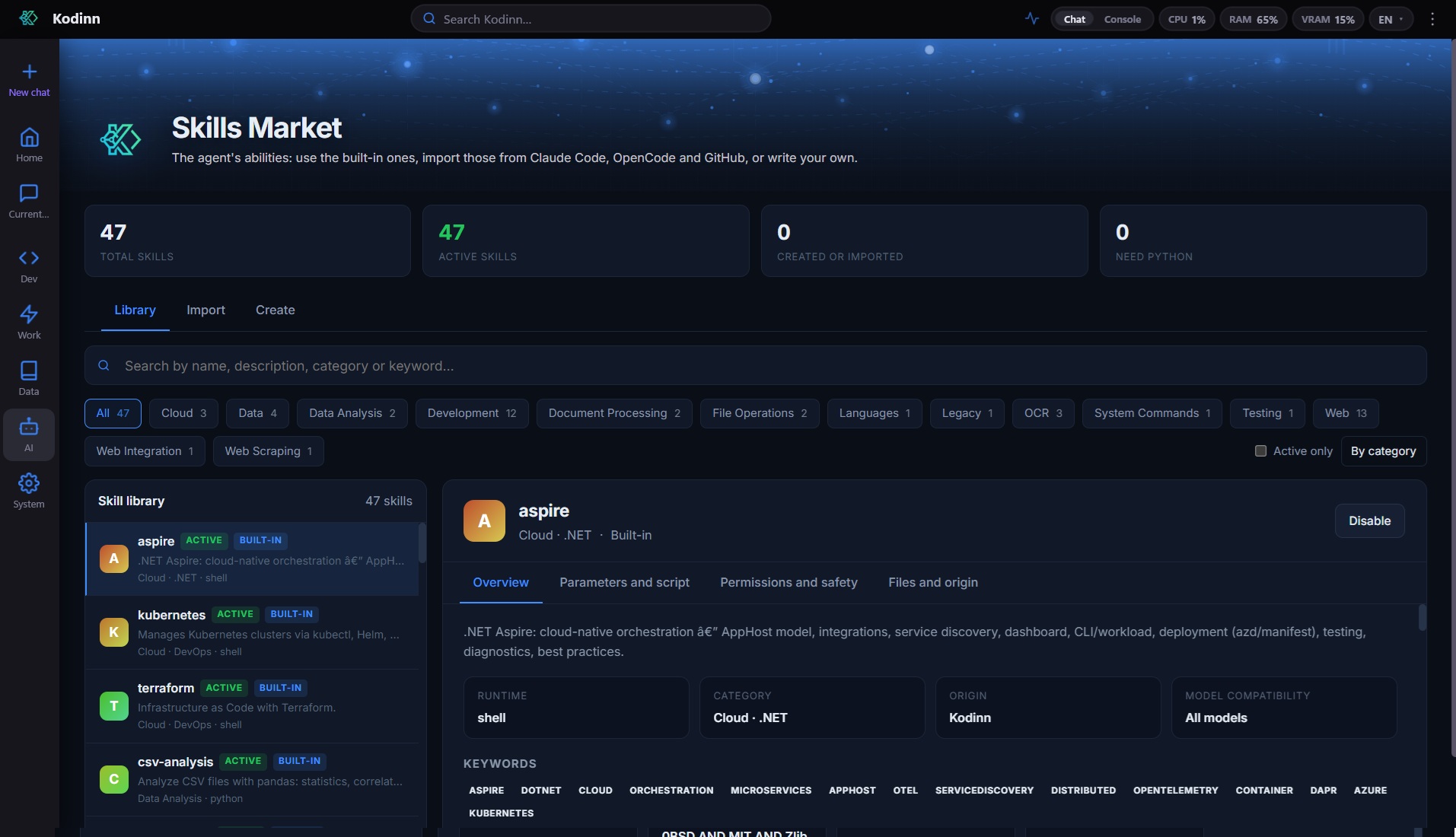
47 ready-made skills to install, enable or disable in one click. You decide what the agent may use.
Bring what you already have: Kodinn finds your Claude Code, OpenCode and Agents skills on its own and imports from a folder or GitHub too. They arrive switched off, to read before you turn them on.
Write a skill of your own, with instructions, parameters and scripts. Every skill is a folder with SKILL.md and its rules: readable, versionable, yours.
Four tabs for every skill: overview, parameters and scripts, permissions and safety, files and origin. You know where it came from and what it does before switching it on.
Skills, local models, remote models and Python packages: inside Kodinn you find, check, install and enable everything your agent needs. No hunting for files, no manual setup, and every choice stays yours.
The catalog of the agent's abilities: library, import and create in a single product.
Pick a model from Hugging Face and Kodinn brings it to your PC, ready for DesireeIA.
The catalog that knows the cloud model market: providers, models, prices and guarantees.
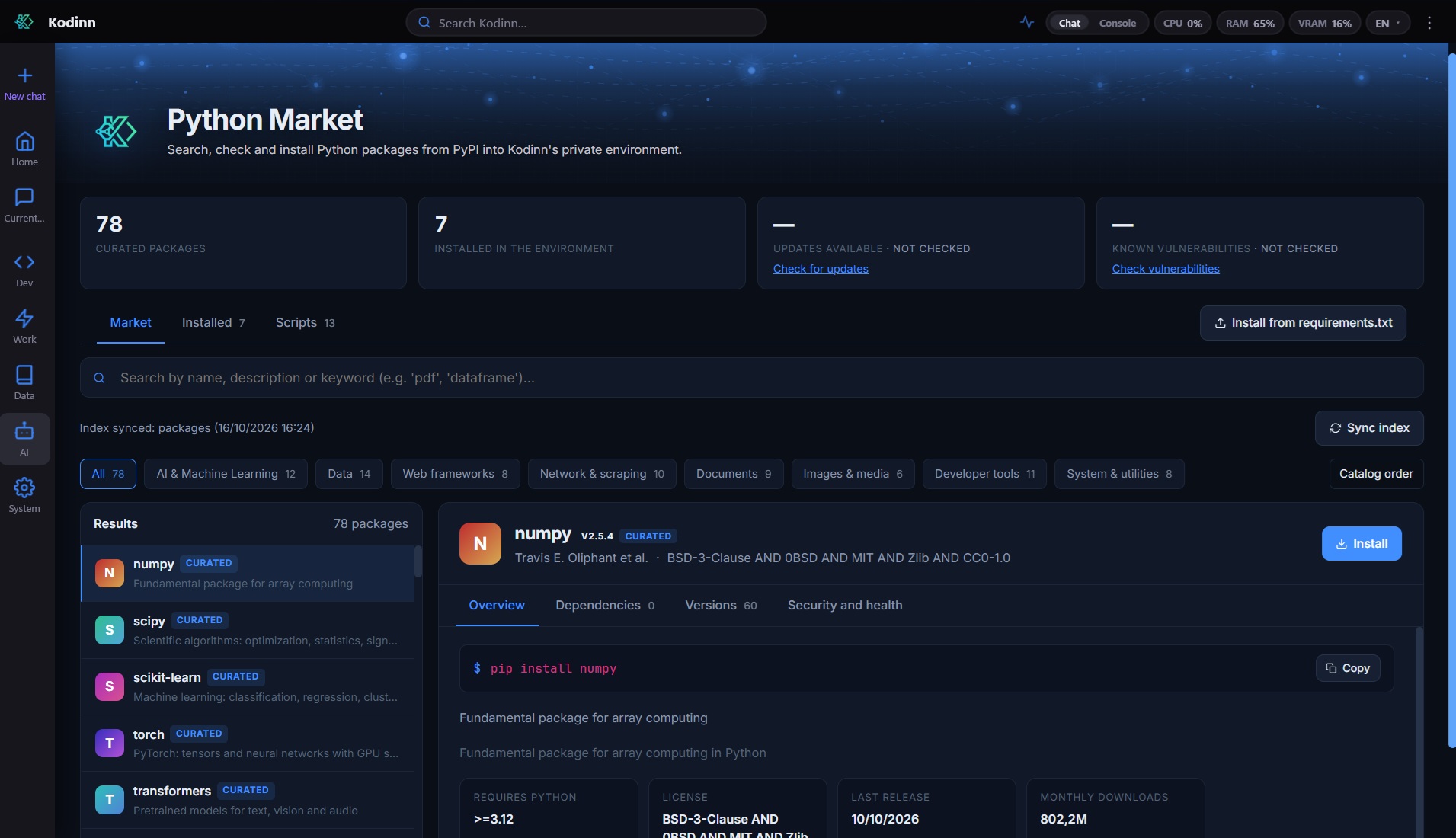
A Python market inside Kodinn: curated packages and all of PyPI, in a private environment that doesn't clutter your system.
Code Studio's market, built on Open VSX: color themes, snippets, TextMate grammars and language configurations.
| Market | The AI uses it to | Your control |
|---|---|---|
| Skills | Learns new procedures: reads the guide, runs the script with parameters. | You switch each skill on; code execution always asks permission. |
| Local models | Run offline on CPU or GPU as the engine for chat, agent and Code Studio. | You pick the model; the hub checks space, RAM and file fingerprint. |
| Remote models | Assign a different model to each role, with failover and cost counting. | You decide providers, keys and roles; personal data is masked before sending. |
| Python | Analyse data, convert files, automate: installs and runs in an isolated environment. | Vulnerability and update checks; the environment never touches the system Python. |
| Extensions | No direct use: they improve the editor where the AI writes code. | Declarative data only, never executed code; license verified. |
The side menu is organized like a real workplace: IDE holds Code Studio, Git and Browser, CI/CD holds Azure DevOps. Same look, same agent, same permissions.
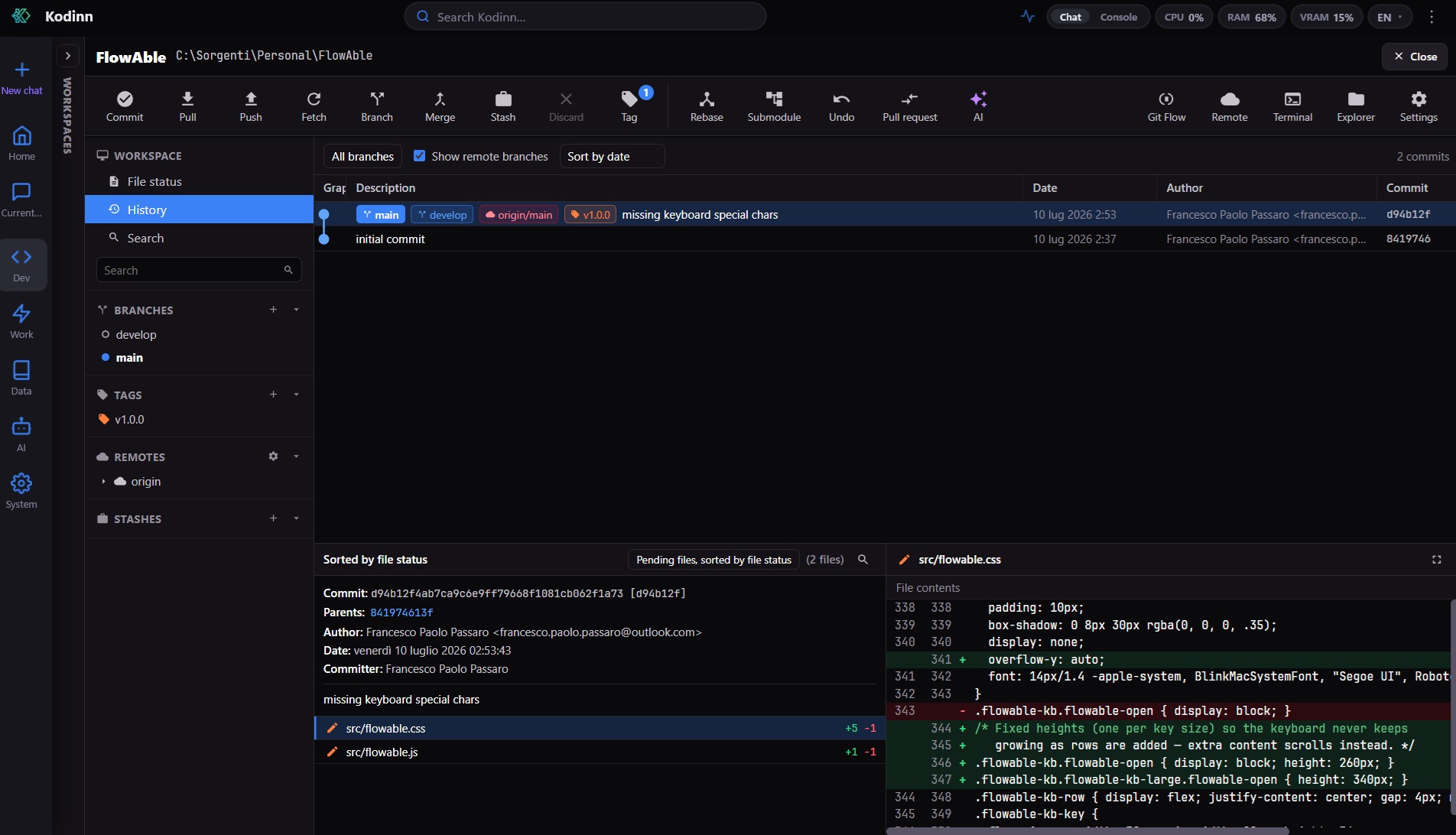
A complete Git module: commit, pull, push, fetch, branch, merge, rebase, stash, tag, submodule, pull requests, Git Flow and remotes, with a commit graph and diff alongside. The AI writes the commit message and explains history.
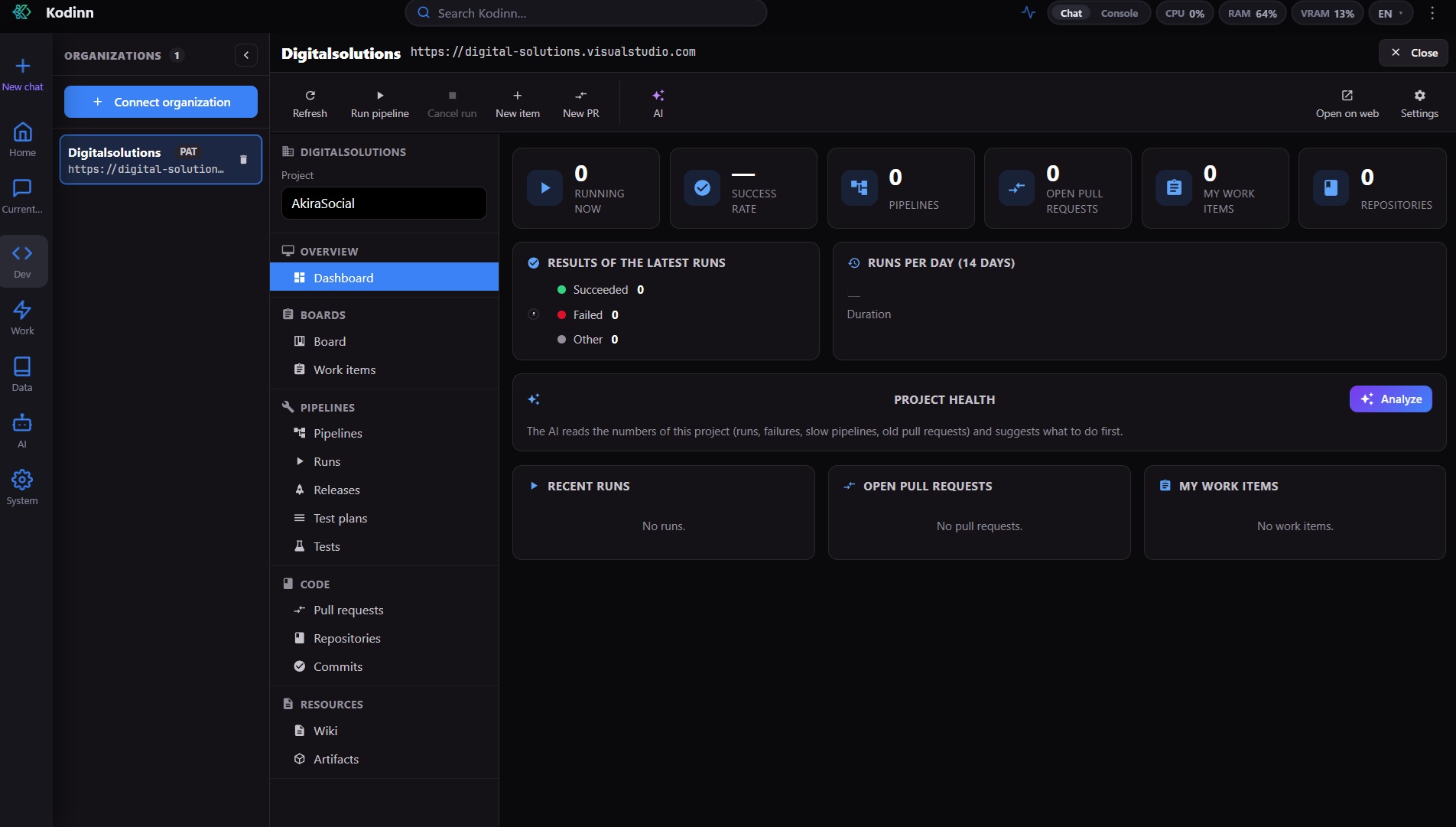
Dashboard, Boards, Pipelines, Releases, Test plans, Tests, Code and Resources. Stories, work items, boards, pull requests, releases, wikis and artifacts, with complete forms and charts. Sign in with a personal token or Microsoft Entra ID.
Fixed group headings: IDE for developer tools, CI/CD for delivery. Everything else, from mail to databases, stays a click away.
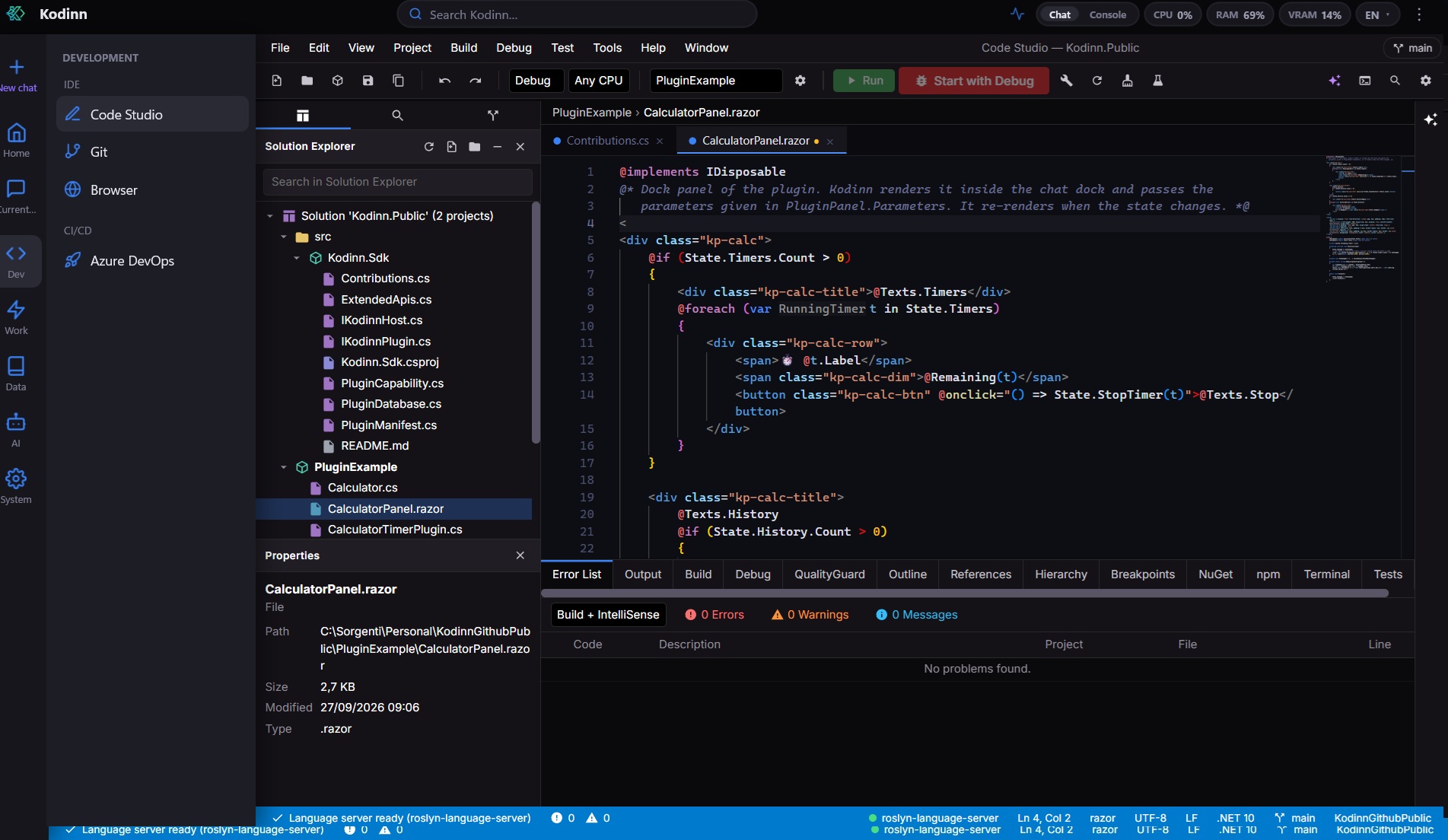
A complete panel for S3, EC2, Lambda, ECS, CodePipeline, CodeBuild, CodeDeploy and CloudFormation, with logs and costs. Same look as Azure DevOps, same agent, same permissions: every change asks for your confirmation first.
You connect an account with an IAM access key, which stays encrypted by your PIN, or with a profile already set up on the computer. Then you switch region in one click and work on everything AWS allows that identity to do.
The agent works on an account only if you allow it, operation by operation, and it cannot terminate instances or delete objects, buckets or stacks. The panel is new: try it with your own account and permissions (if your organization blocks a service, AWS refuses it and Kodinn tells you).
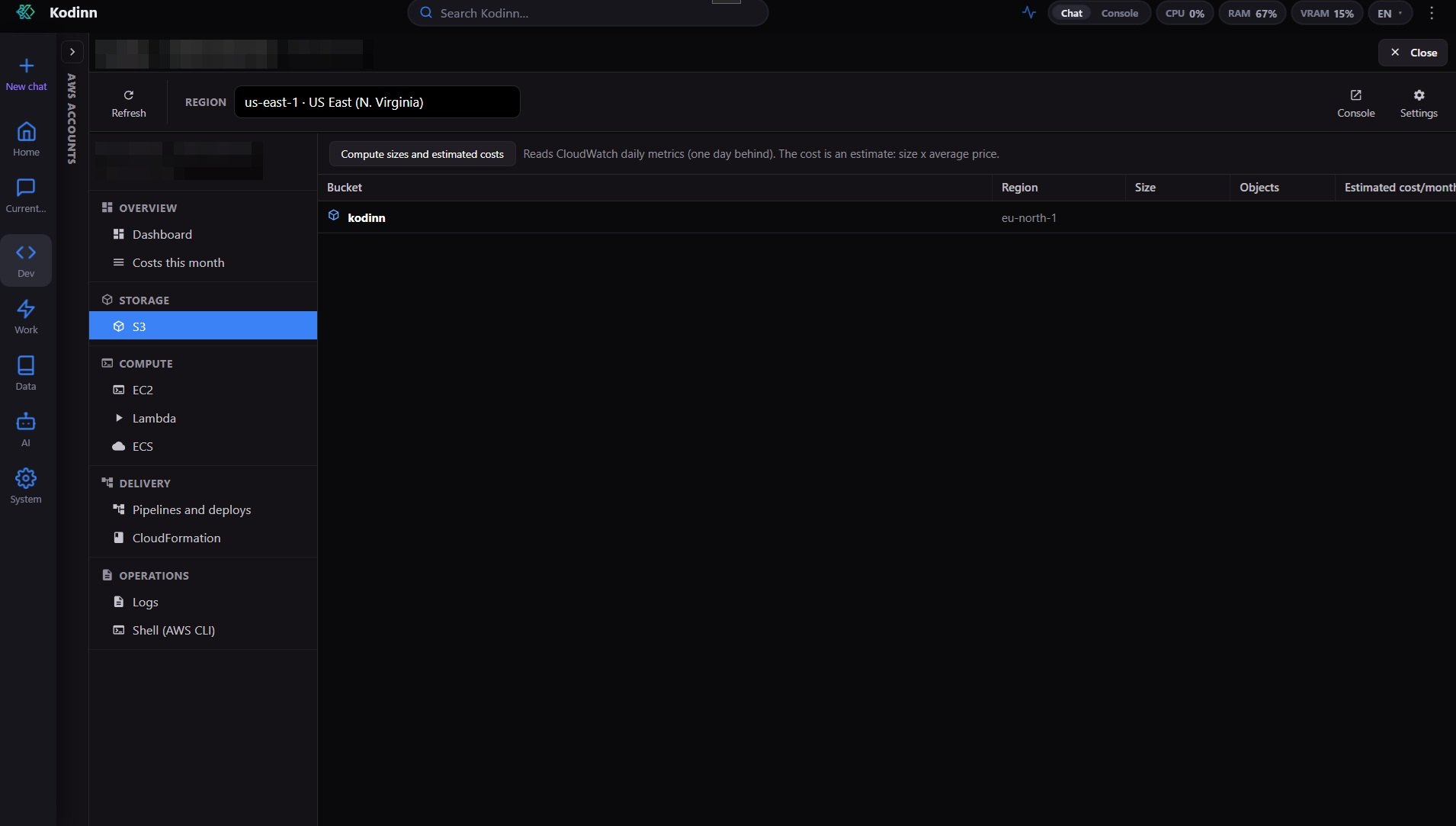
FTP, FTPS and SFTP (and S3, WebDAV and Storj too) in a two-pane client with a parallel transfer queue. As soon as you connect, the AI chat opens on the right and sees the connection, without ever receiving your password.
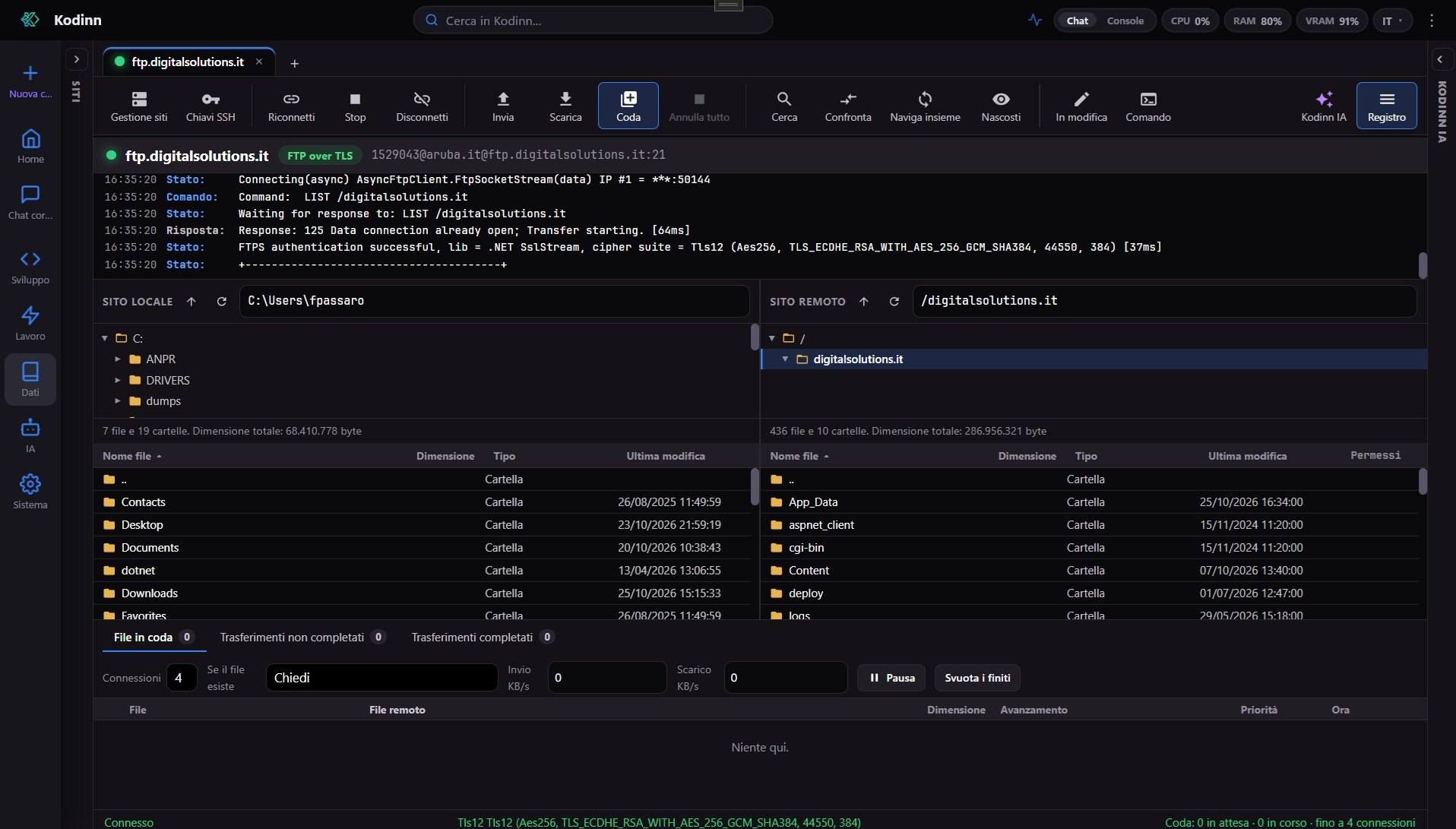
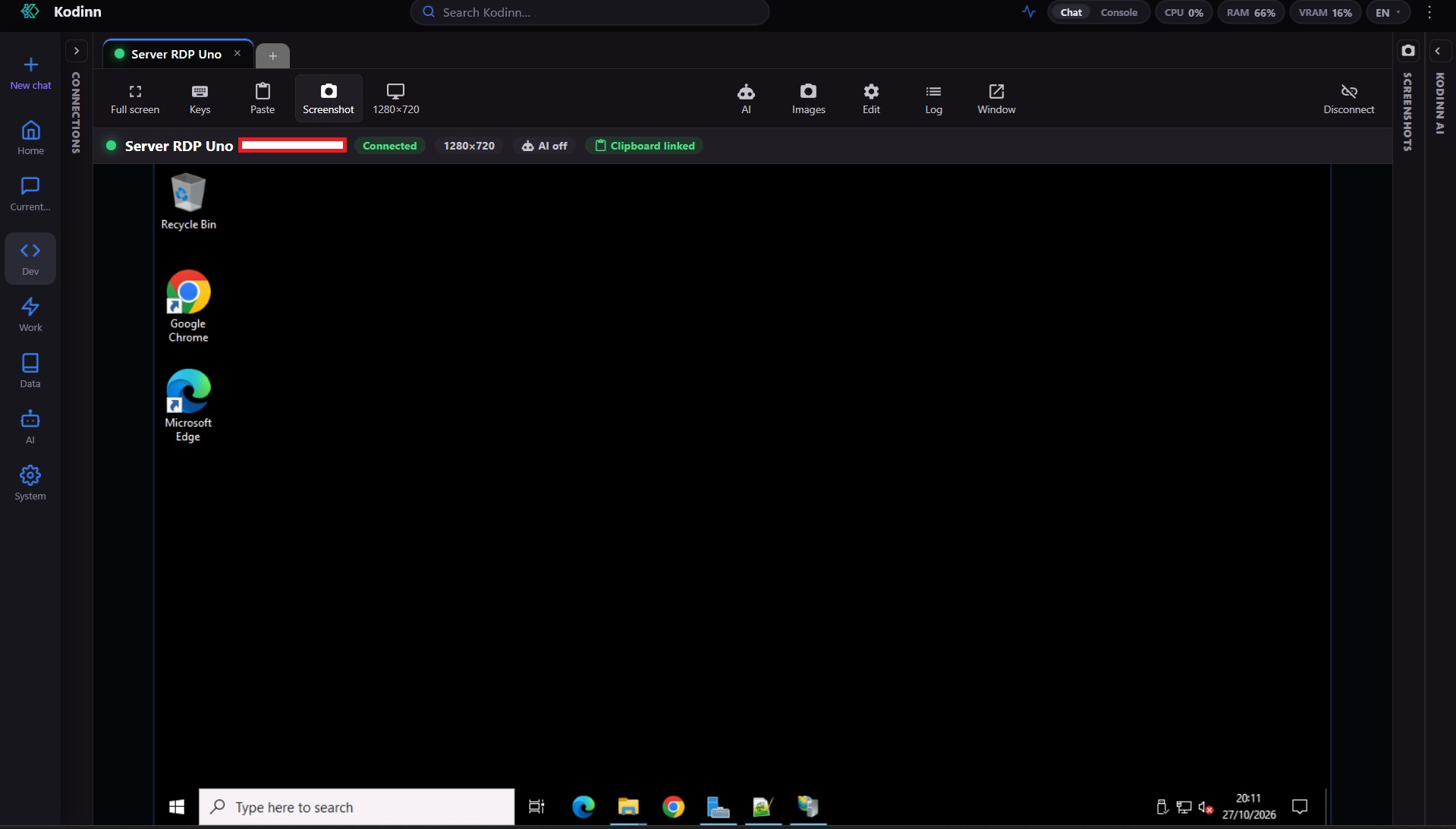
An RDP client to connect to Windows servers without leaving the program: one tab per session, detachable into a window. And the AI can drive the session, if you let it.
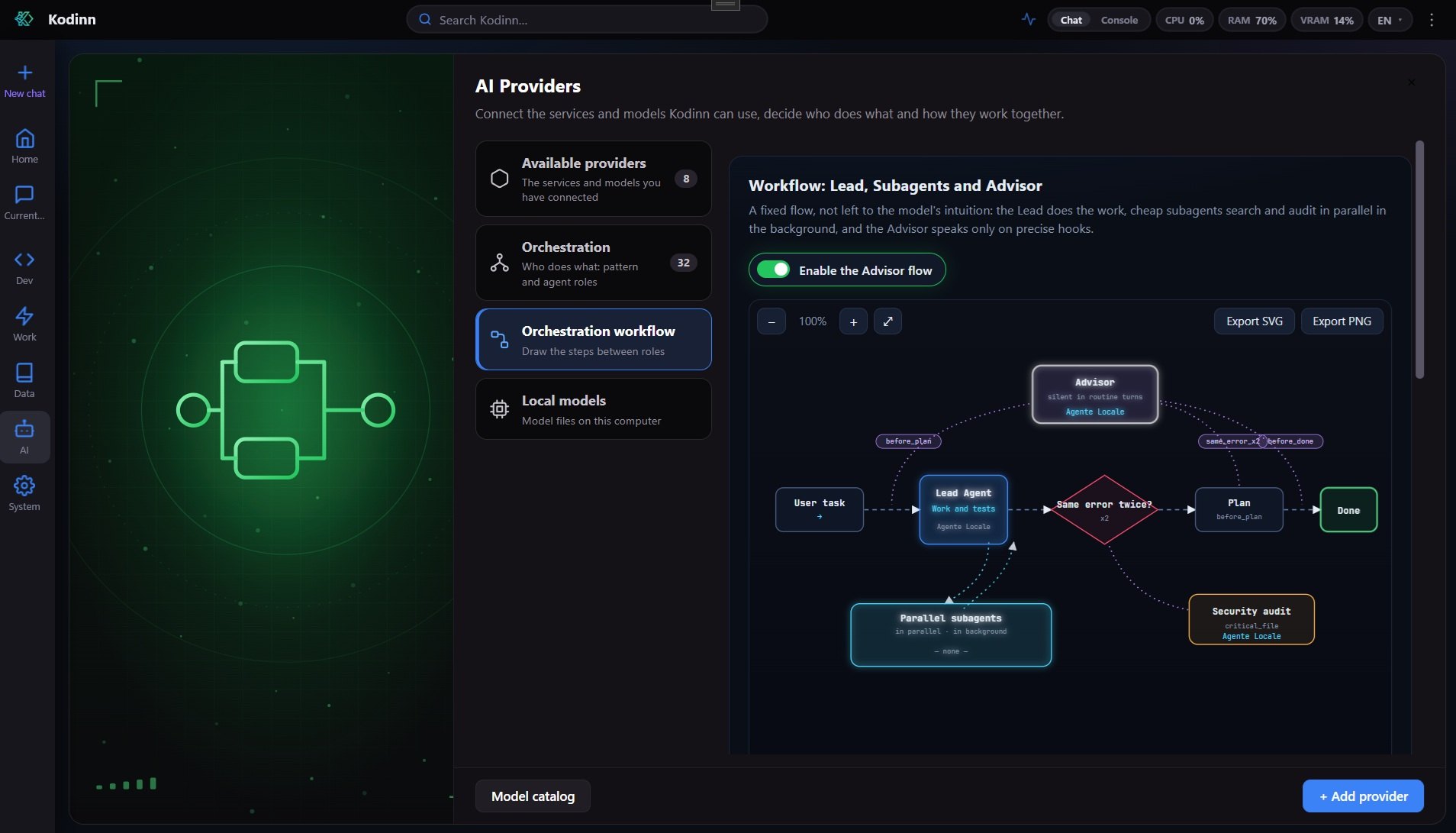
The new orchestration does not leave it to the model's intuition how to move: a Lead does the work, cheap subagents search and check in parallel in the background, and an Advisor steps in only at precise points.
The flow is drawn, not hidden: you see it, turn it on and choose the model of every step. The Advisor is silent in routine turns and speaks only when needed: before planning, when the same error repeats twice, before declaring done and before touching critical files.
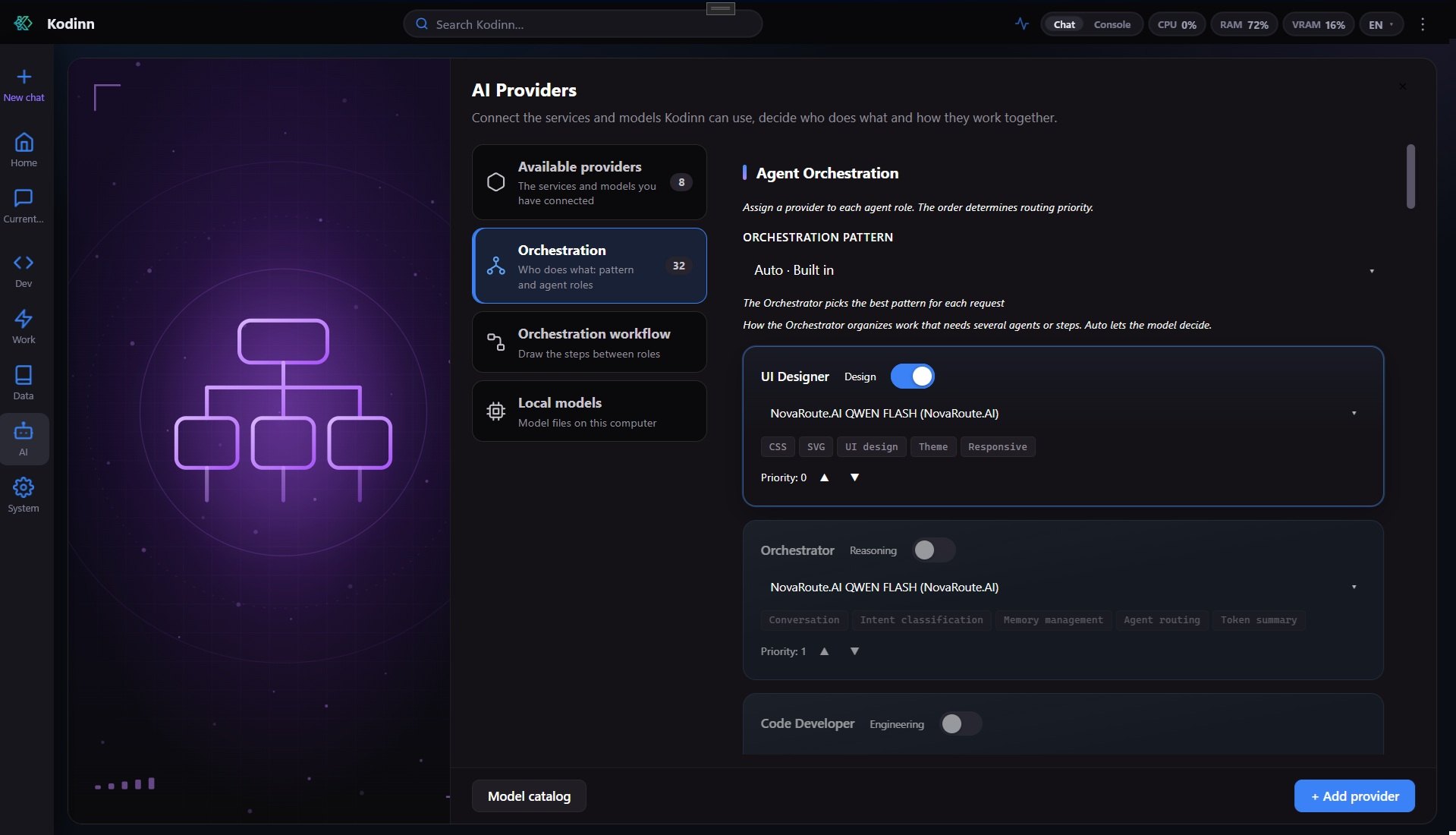
Every role (UI designer, orchestrator, developer and all the others) has its own provider, skills and a priority you can move. Kodinn picks the orchestration pattern for each request, or you fix it.
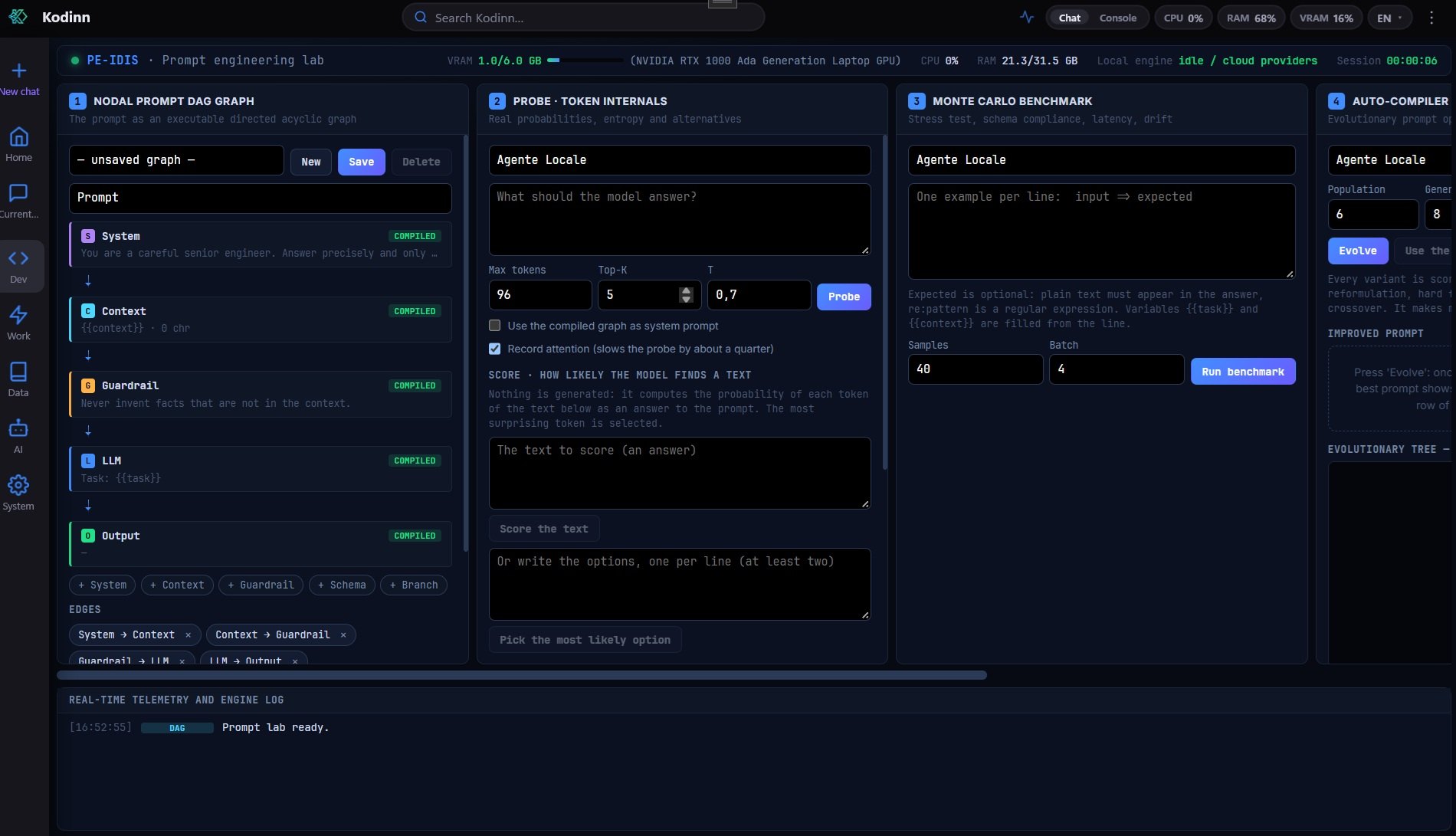
PE-IDIS is a lab inside Kodinn: you build the prompt as a graph, look at what the model really thinks and compare versions with numbers, not impressions.
The finest measures (probabilities, attention, scoring) need a local model with DesireeIA; with remote providers you keep the benchmark and the auto-compiler.
No button to hold: Kodinn detects when you speak and when you stop, even in a noisy room.
Each sentence appears in the text box as soon as you finish it, so you see right away what it understood, and can fix it.
A finished sentence goes out quickly, one left unfinished waits longer: the delay depends on how you spoke, not on magic words.
With local transcription (Whisper) your voice never leaves the PC. In the interface language: Italian, English or Chinese.
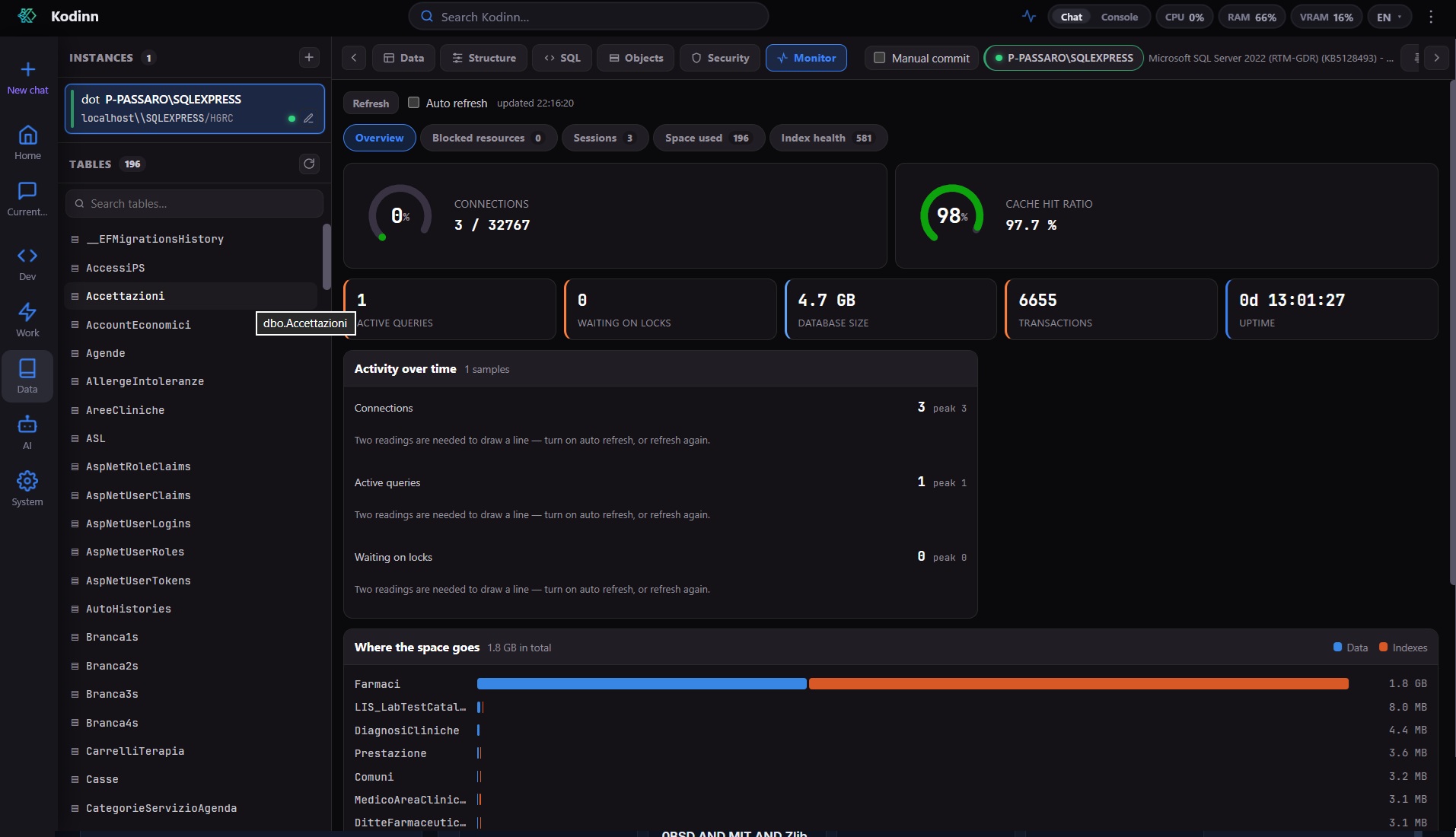
Several database engines in one place, with multiple instances: browse tables, query, check health with an indicator monitor. Read-only is enforced by the page and by the agent: the AI can read, not wreck.
A curated Python package market, installed into an isolated environment inside Kodinn. You check for updates and vulnerabilities, see the scripts and use them with the agent, without cluttering your system Python.
Kodinn isn't an app with a chat: it's a whole workplace. Every module stands on its own, and becomes something else when the agent drives it.
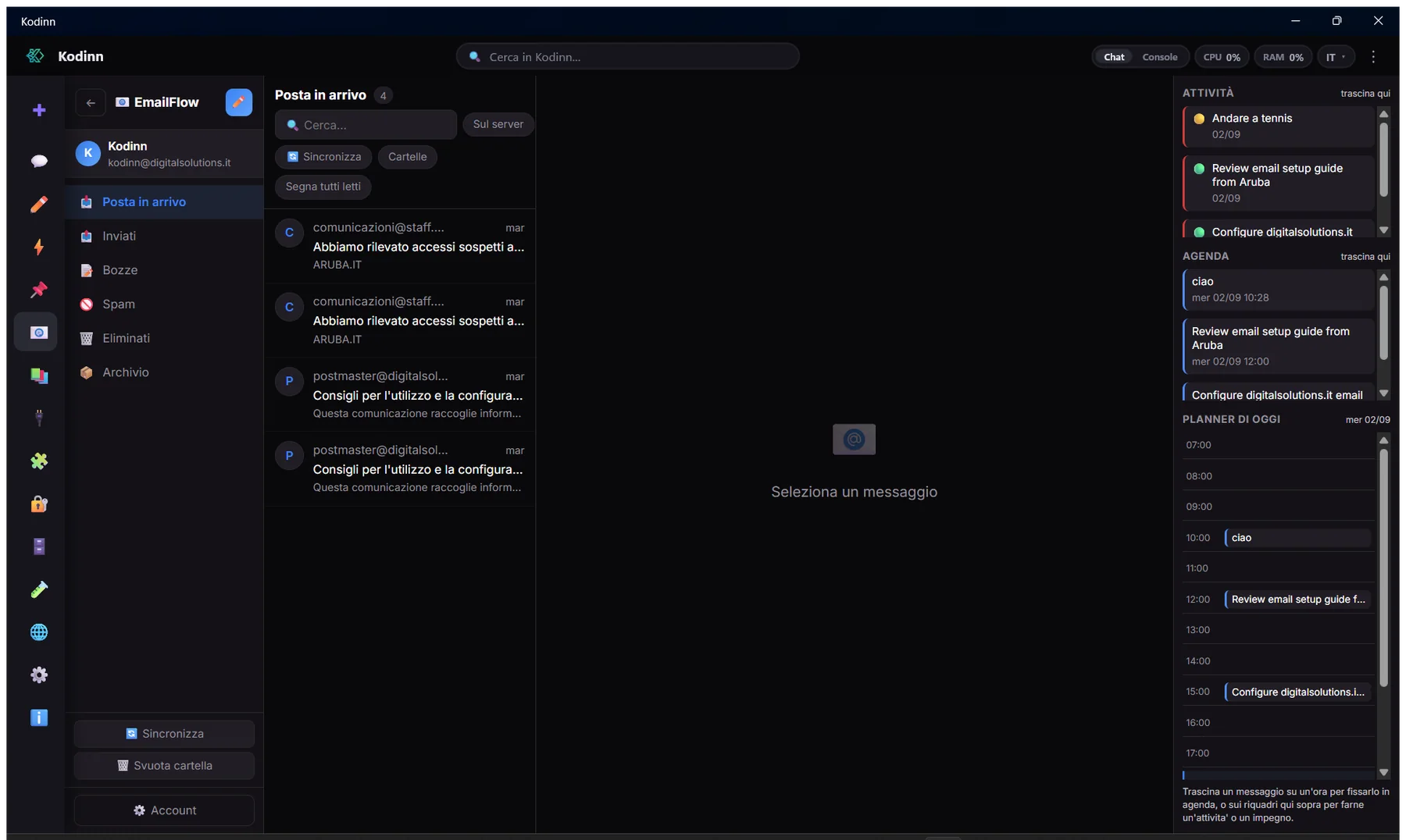
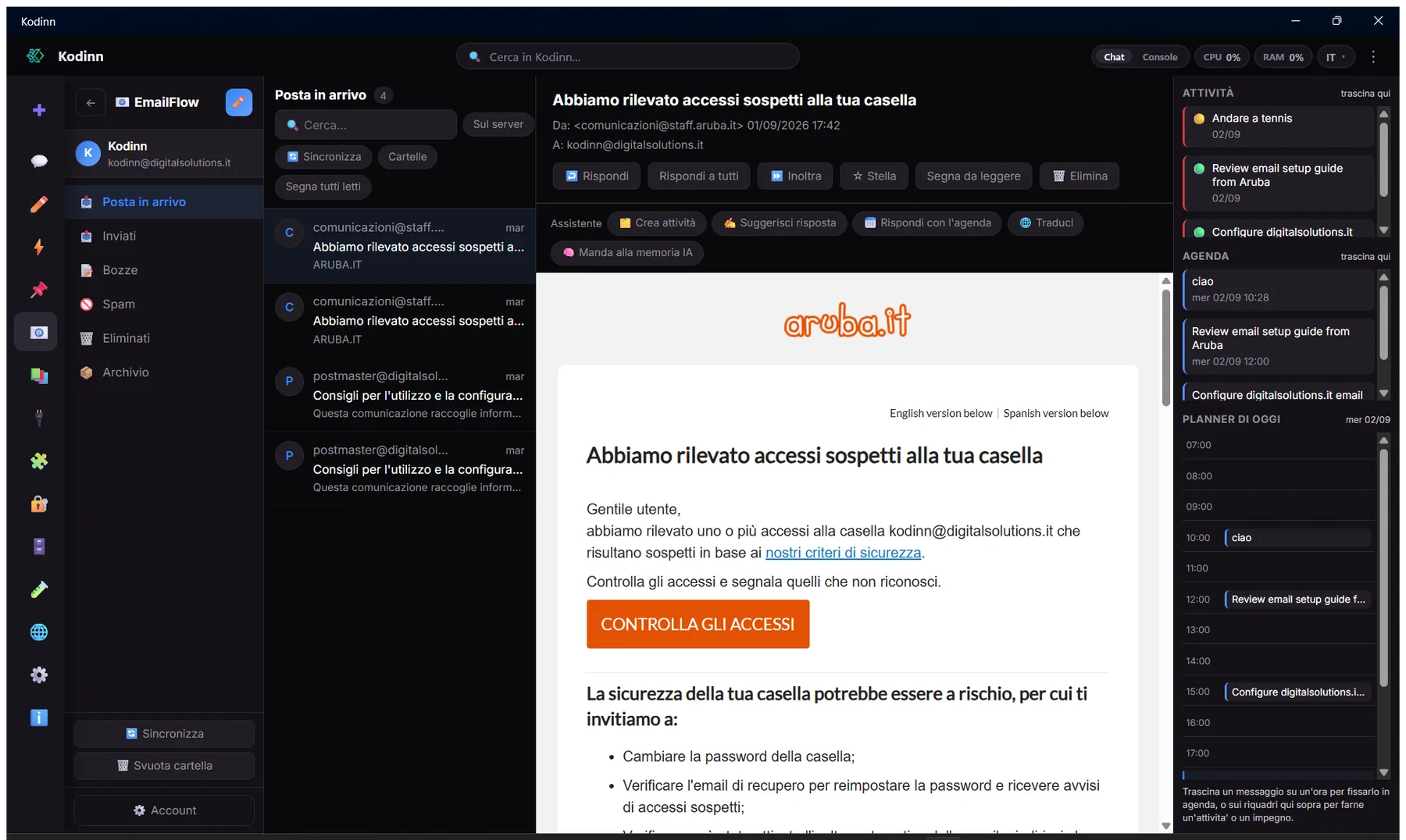
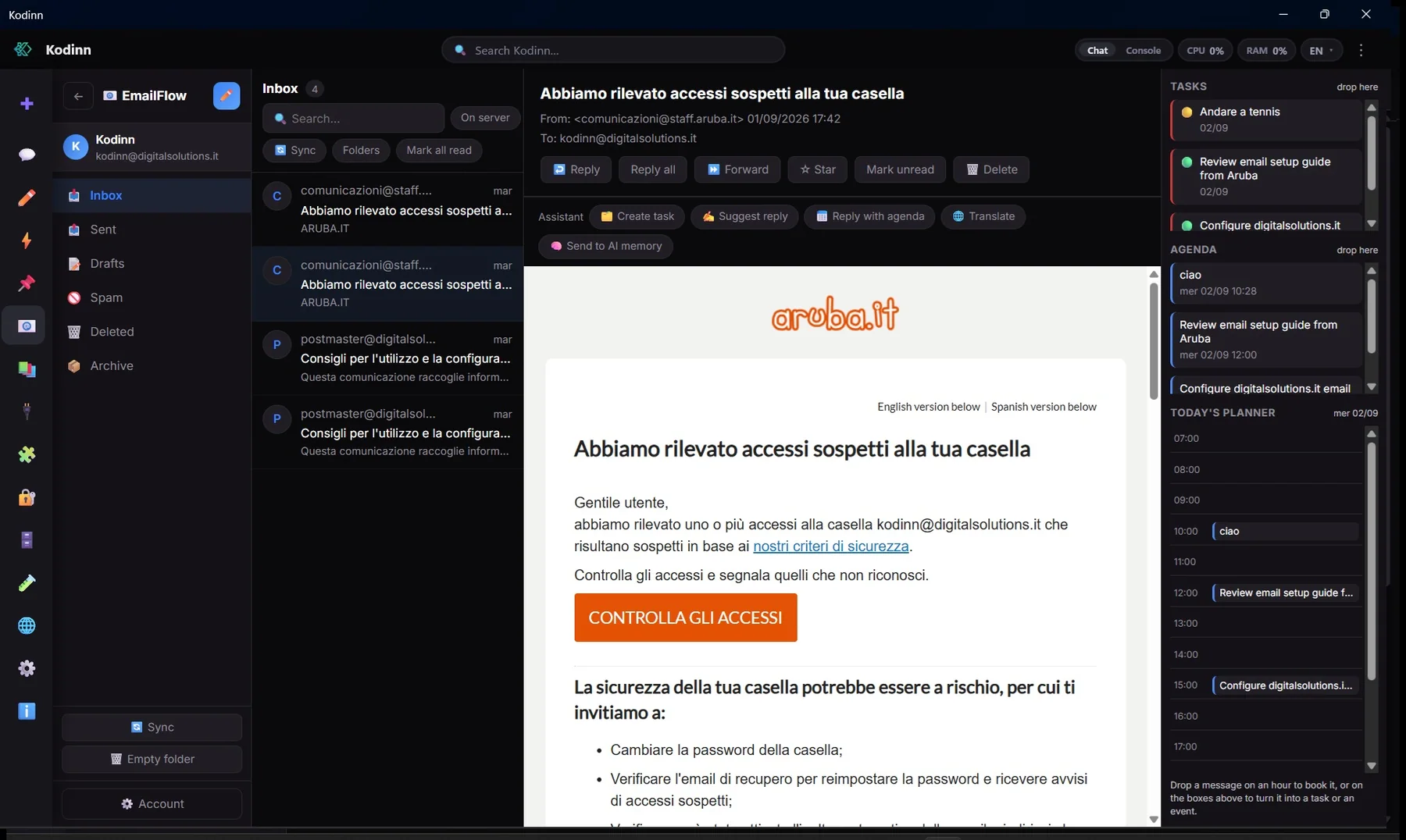
A real mail client: IMAP and SMTP, OAuth, folders, rules, identities, scheduled and undoable send, older messages, conversations. The agent reads, summarises, translates and drafts: it never sends on its own.
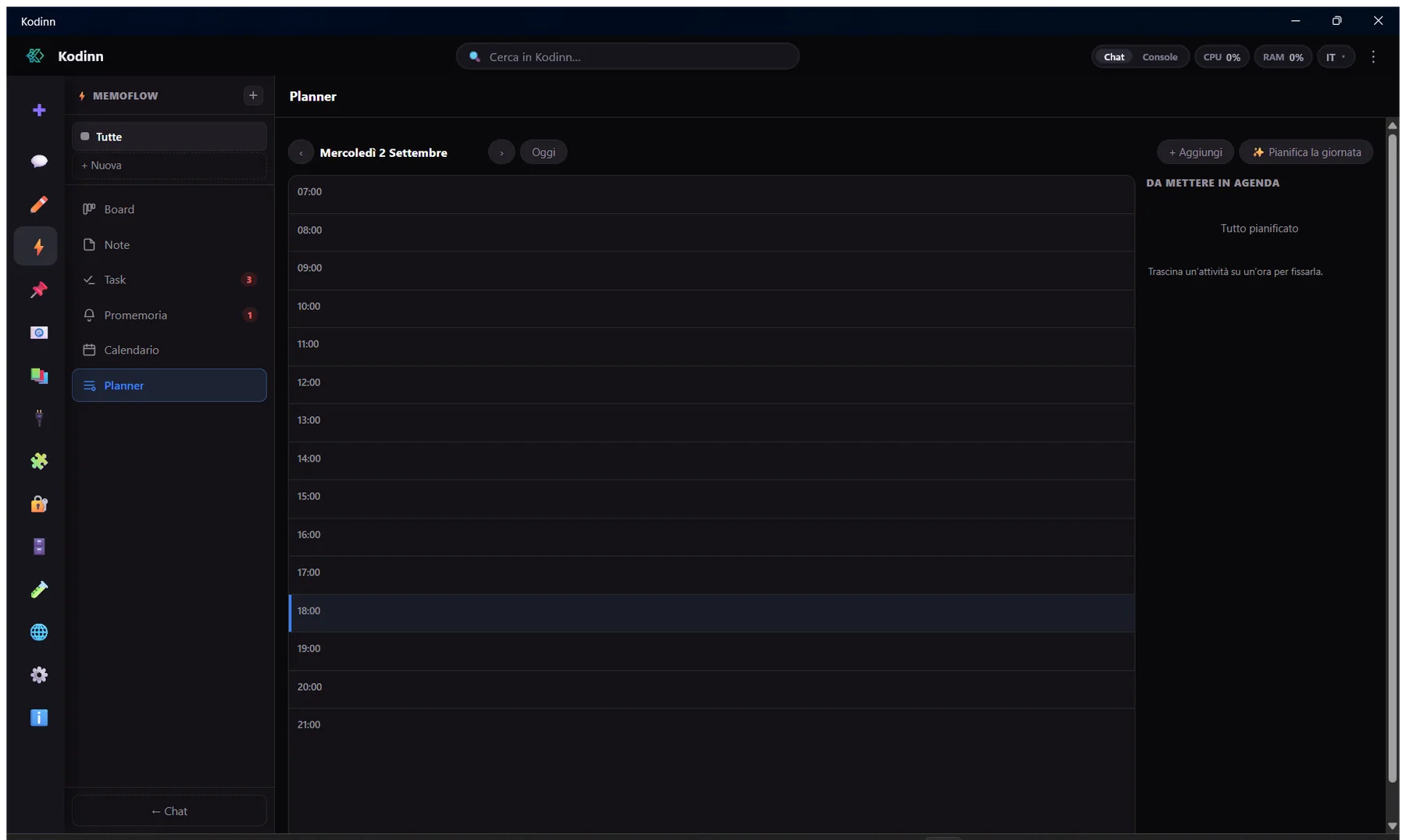
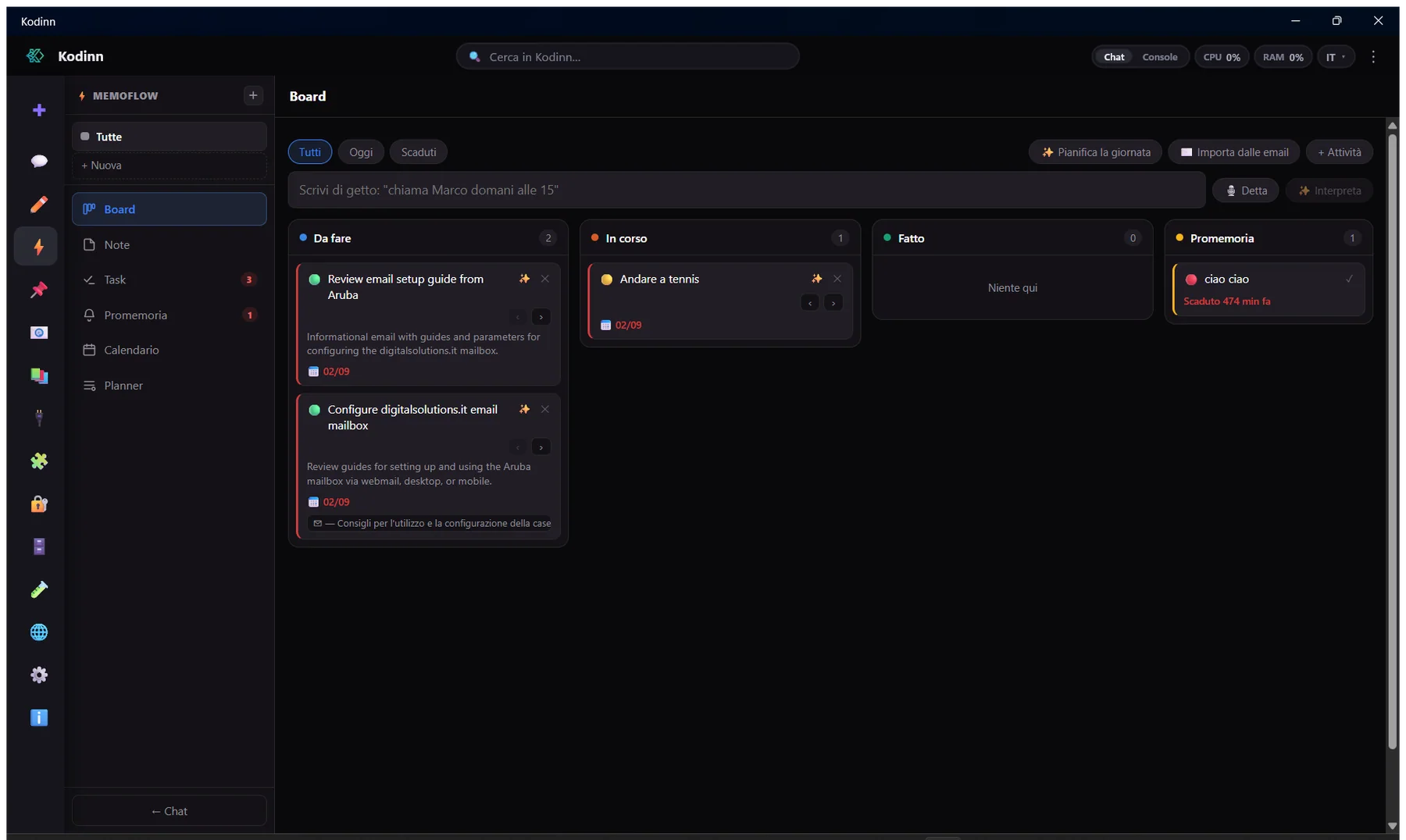
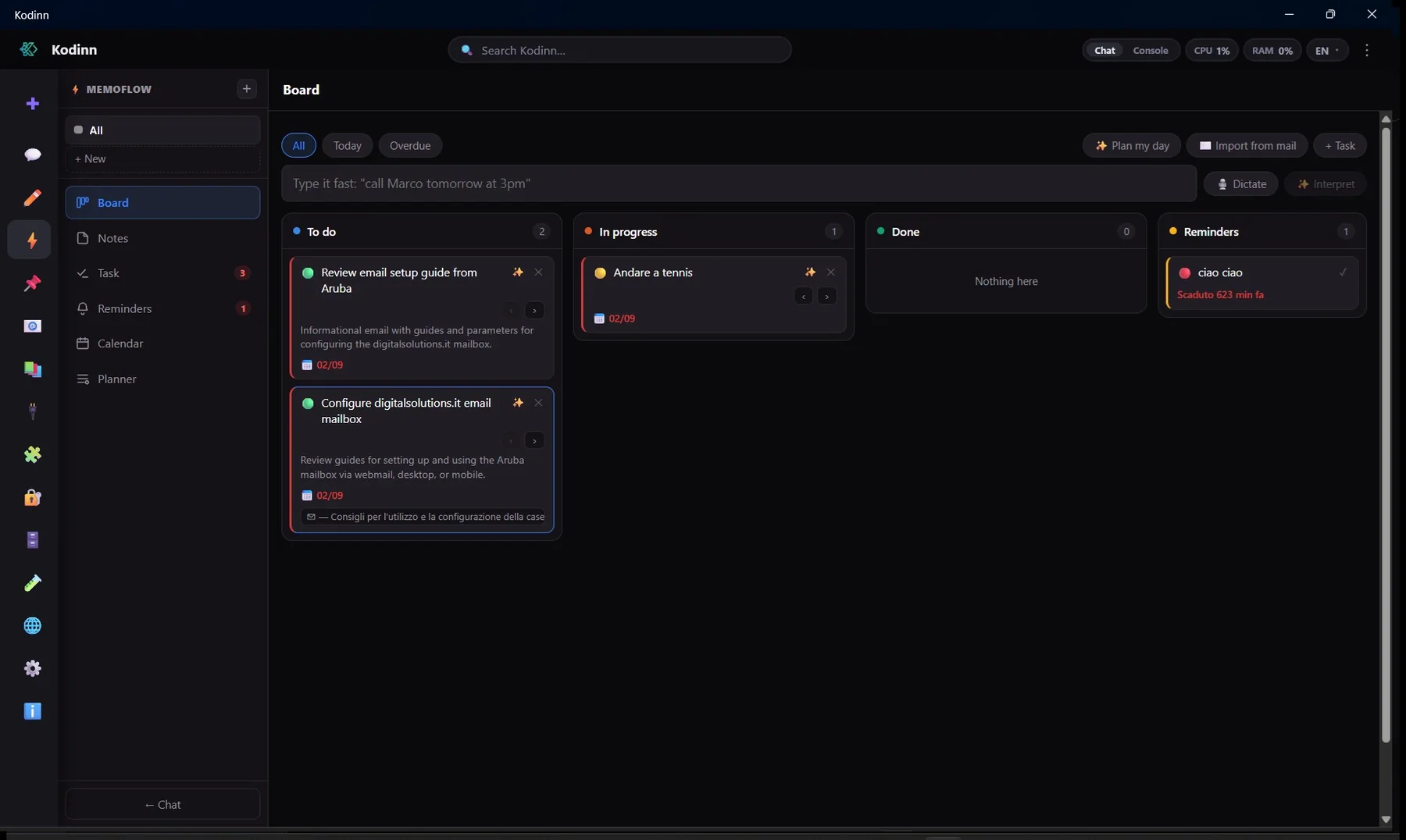
Kanban board, reminders, notes with attachments and a daily planner. Type “call Marco tomorrow at 3pm” and it becomes a task; mail and files become notes in one move; the AI plans your day.
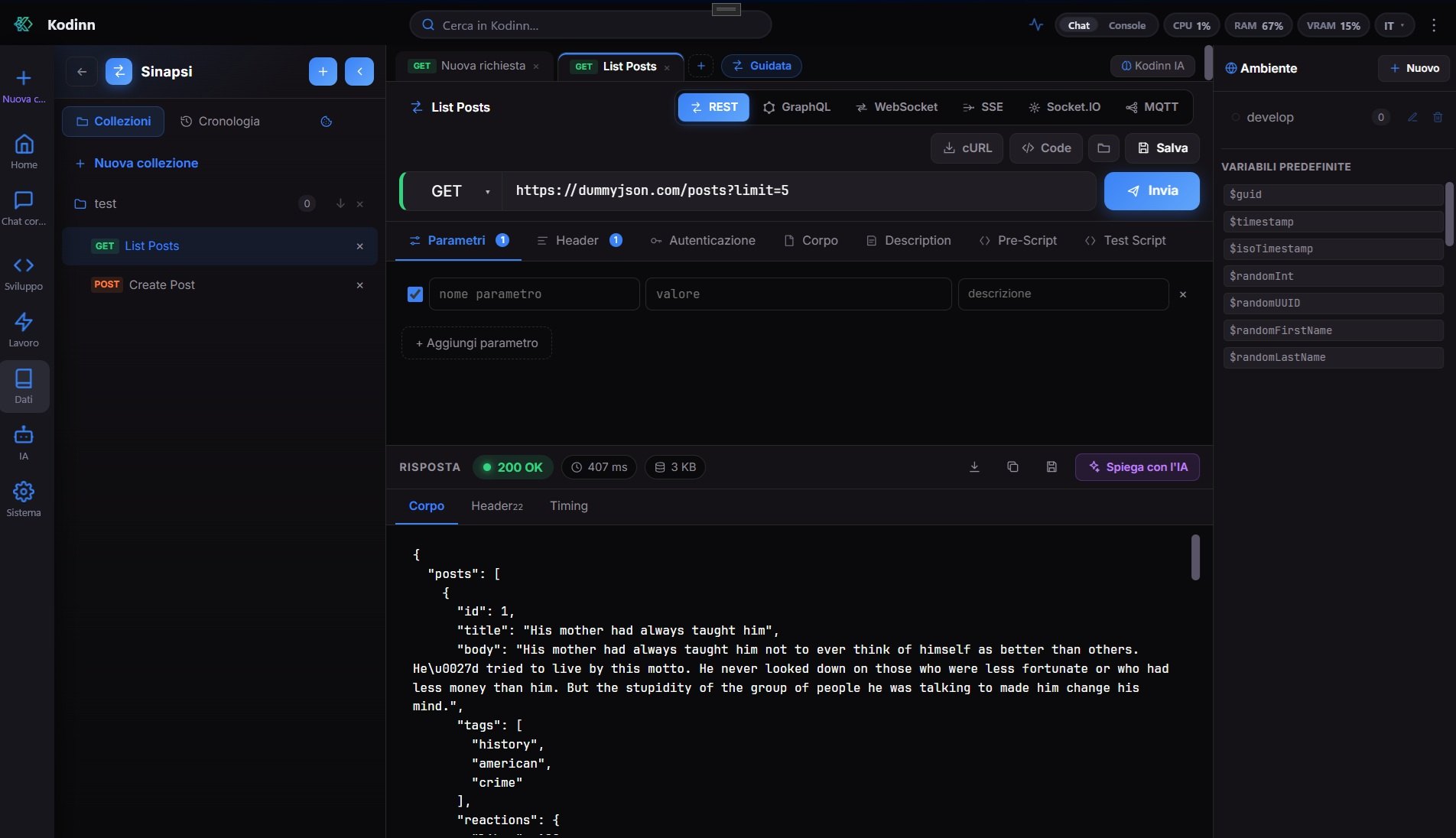
REST, SOAP, GraphQL and WebSocket in one client, with collections, environments, OAuth 2, test scripts, import from OpenAPI, Postman and cURL, and a history of every call. Beside it, the Kodinn AI chat with the very same orchestrated agent as Code Studio: it reads the request and the response, explains every error, writes and sends calls for you, never seeing your credentials.
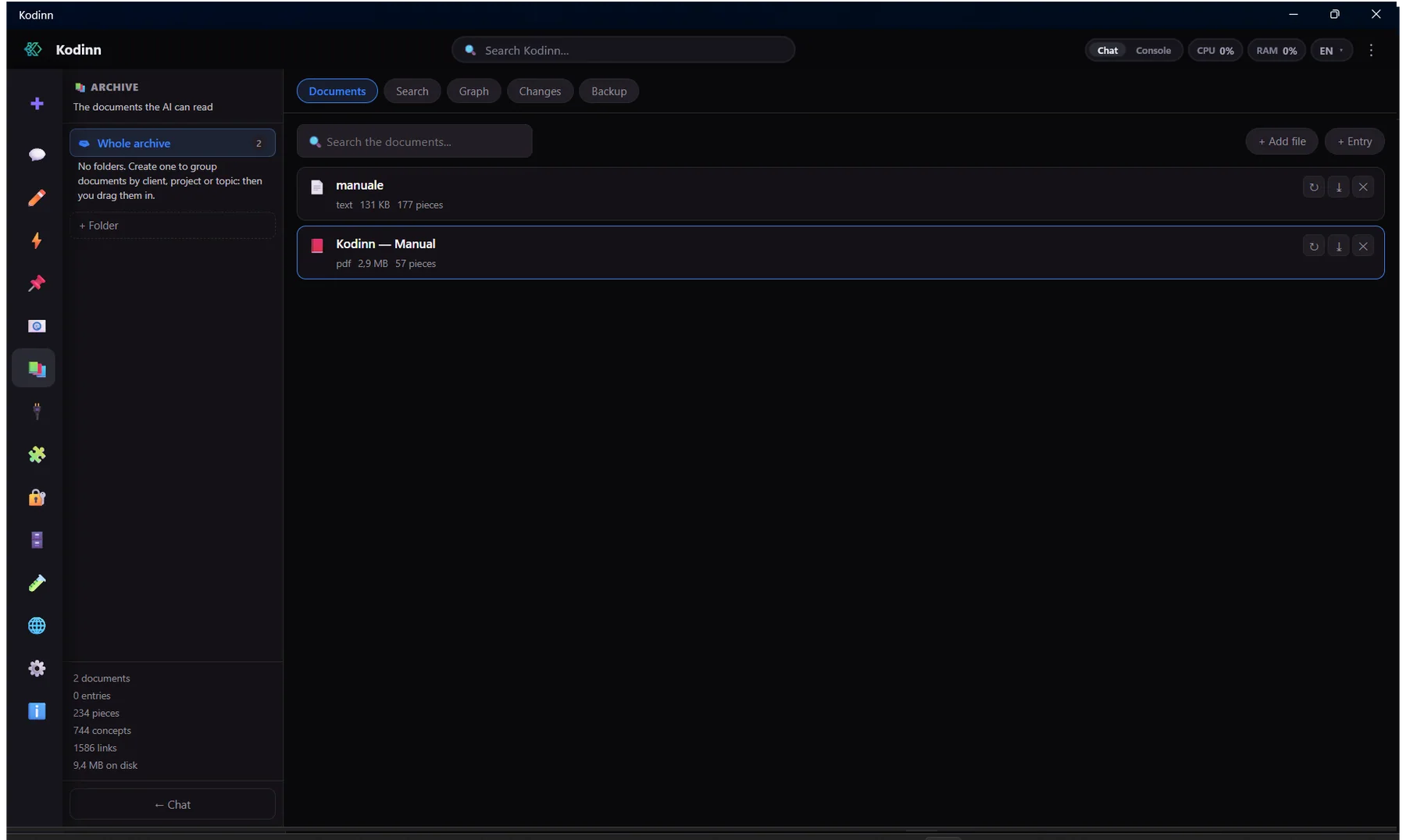
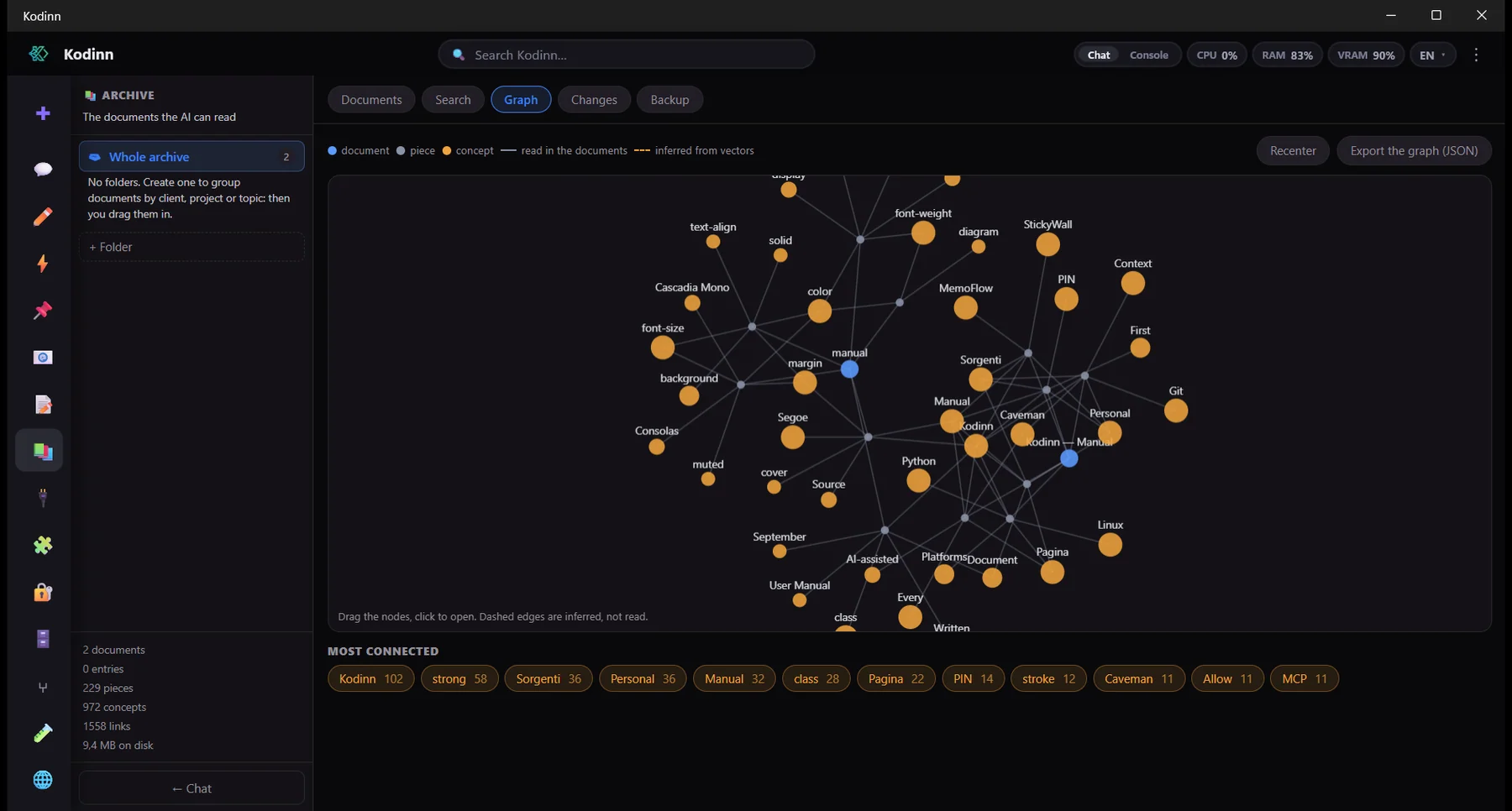
An encrypted knowledge base the agent searches, quoting the passage and the document. A concept graph, with read and inferred links, grows from your files; rotating backups and file signing.
PostgreSQL, MySQL, SQL Server, Oracle and MongoDB, with multiple instances. Enforced read-only, query safety checks and an assistant that writes the query seeing the real schema.
A built-in browser the agent drives in your very session: it navigates, clicks, types, reads, captures. Tabs, history, favorites, incognito browsing, console and developer tools, with a per-domain policy.
Several shells in one window and an agent that runs commands asking permission, with a command policy and optional sandbox. Touches the vault? The command is stopped.
A sealed vault encrypted with the key derived from your PIN, locked after two idle minutes. The model can't see it: no tool reads it, no prompt contains it, and the filesystem denies it.
Masks names, emails, IBANs, tax codes and keys with real validators (Luhn, IBAN, national checksums) across 32 countries, before the message leaves your computer. The answer comes back with the real values.
Compresses the conversation instead of cutting it, routes per content type, aligns with the provider's cache and skips anything critical (CVEs, destructive commands). More work in the same context, at lower cost.
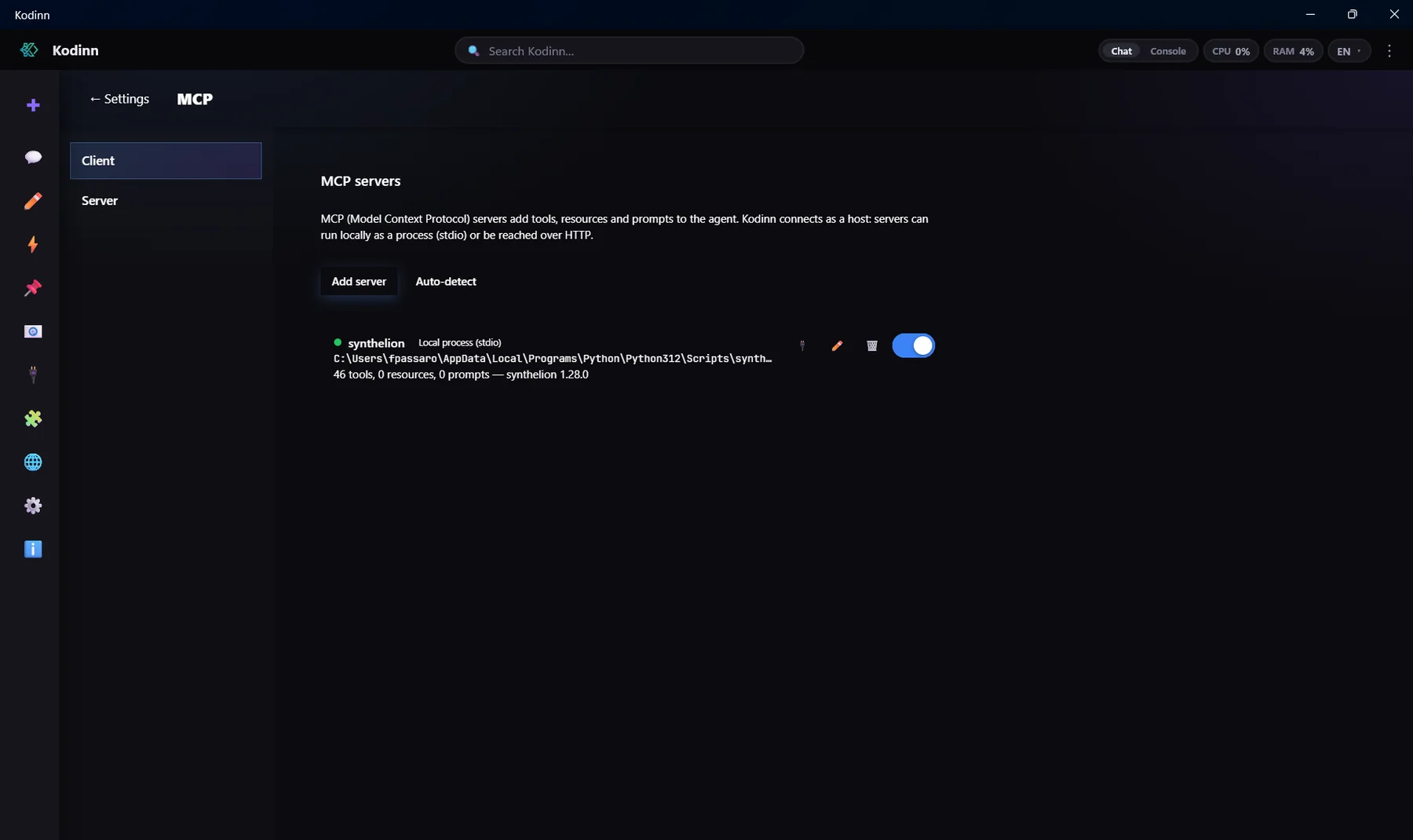
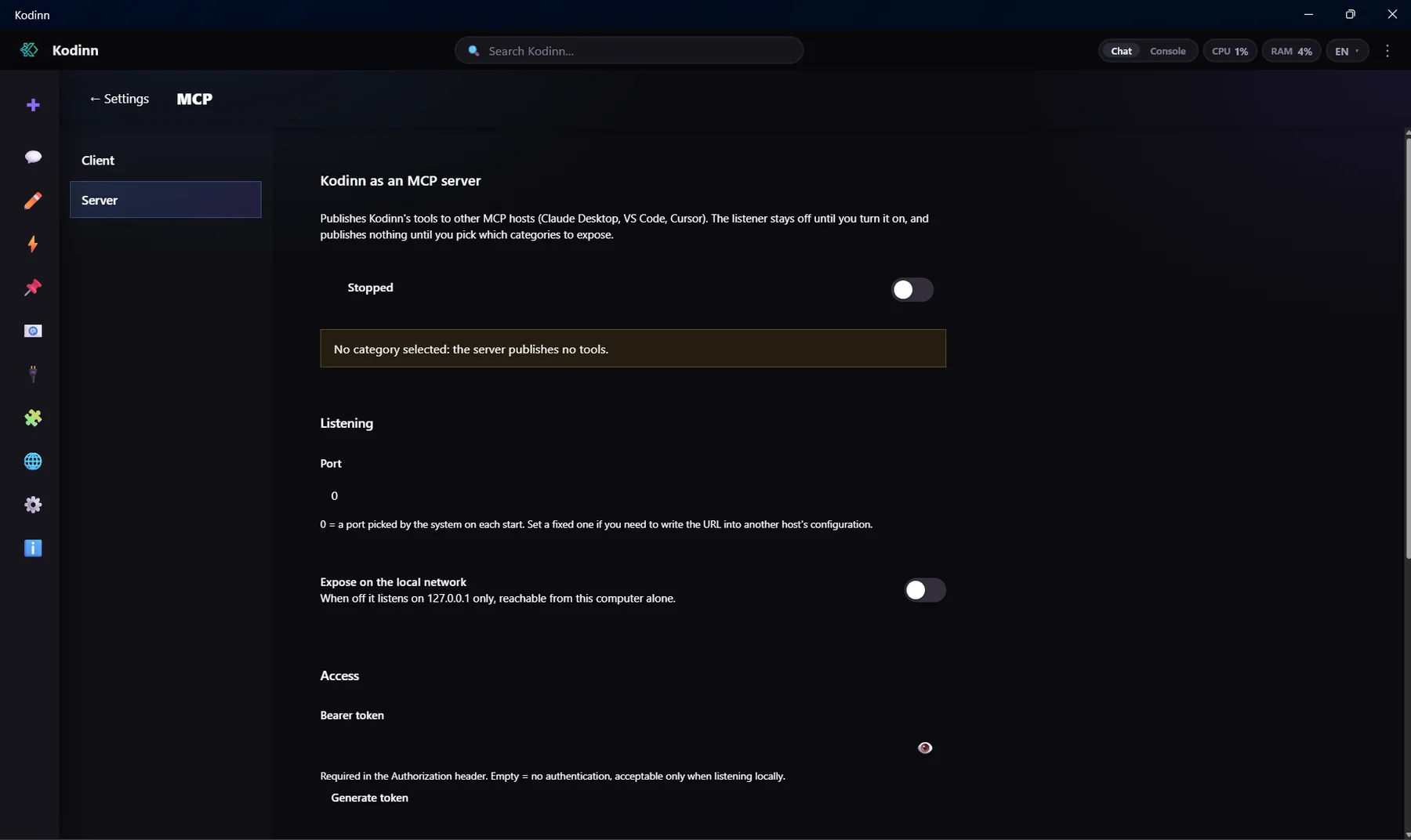
Connect the MCP servers you already use, with auto-detection, and publish Kodinn's tools as an MCP server for Claude Desktop, VS Code and Cursor.
A public SDK, hot install without restart, explicit consent and an encrypted database for every plugin. Extend Kodinn without breaking a thing.
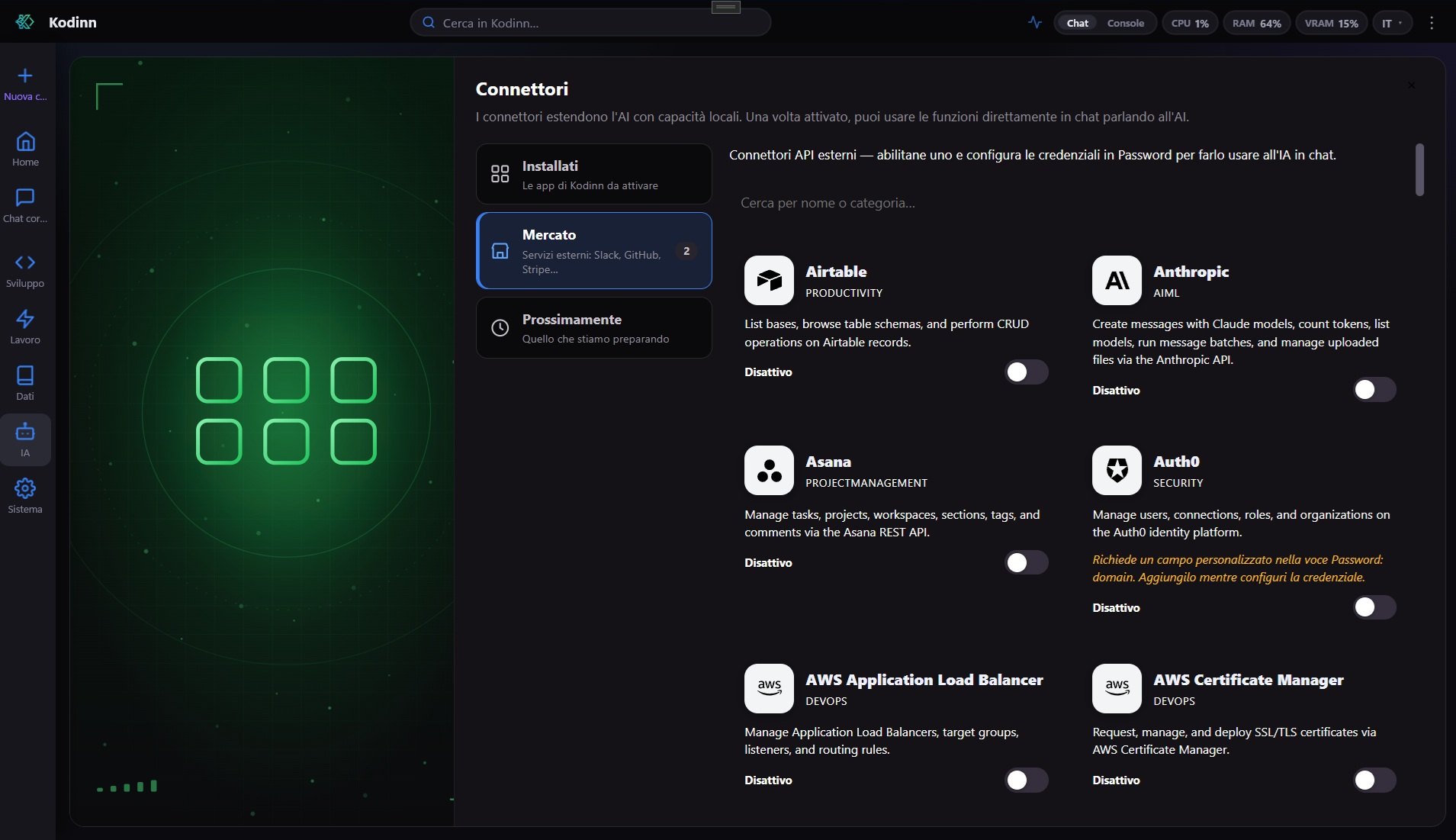
Slack, Teams, Telegram, WhatsApp, GitHub, GitLab, Jira, Stripe, Salesforce, Notion, a whole AWS shelf and many more. Credentials come from the vault: the model never touches them.
Push-to-talk dictation, transcribed locally with Whisper: your voice never leaves the computer. For those who want it, voice, images and video from cloud providers too.
The agent moves the mouse, types, uses shortcuts and captures the screen like you would, always behind a permission and never on your credentials.
Panels for tokens, cost per model, per-minute limits with automatic queueing, timeouts with a countdown, classified errors and permissions. You always know what the AI is doing and what it costs.
32 roles, 19 patterns (pipeline, router, fan-out, hierarchical, generator and critic, debate, ensemble...), failover per error type and the local model as the last resort.
Database, conversations, credentials and mail encrypted at rest with your PIN's key, kept in memory and never saved. One file per kind of data, all encrypted.
Every chat can have its own small embedded web server to try right away what the agent built, with the built-in browser beside it.
Teams of up to 5 people, with your digitalsolutions.it account. Prompts and local settings are never shared. Coming soon.
Our own inference engine: GGUF models on CPU or GPU, automatic tuning, local voice dictation.
Send messages, photos, documents, polls and locations, read updates and manage chats and members through a bot. The token stays in the vault.
Click-to-chat links and international number formatting, offline; with WhatsApp Business you send and receive messages programmatically.
Built-in Git and GitHub, terminal, a browser the agent can drive, editor with language servers, MCP client and server.
Full mail client (IMAP/SMTP, OAuth), rules, identities, scheduled and undoable send; the agent can read and draft.
Encrypted knowledge base with a concept graph built from your documents, search and backup, plus database modules with enforced read-only.
External services with credentials prefilled from the sealed vault.
Create a team with people registered on digitalsolutions.it and share work in Kodinn. Prompts and local settings always stay on your computer.
Coming| Kodinn | Claude Code | OpenCode | LangChain | |
|---|---|---|---|---|
| Interface | Full desktop application | Terminal | Terminal | None: it is a library |
| Data encrypted at rest | Database, conversations, credentials, mail: key derived from your PIN | Configuration and history in the clear | Files in the clear | Not provided |
| Personal-data masking before the model | Built in (PrivacyGuard), values restored in the answer | – | – | Build it yourself |
| Providers | 30+ preconfigured, several instances of each | Anthropic models only | Several providers | Many, through integrations |
| A different model for each agent role | With specialisations and priority | One vendor for everything | Model selection, no per-role routing | Build it yourself |
| Automatic failover between providers | Shared health state, a reaction per error type | – | Left to the user | Build it yourself |
| Offline local models | In-process on CPU and GPU, with our own DesireeIA engine | Needs the remote API | Through an external server | Through external integrations |
| Built-in static analysis | QualityGuard: 27 languages, thousands of rules, Quality Gate | Reviews by the model, no engine | External tooling | – |
| MCP | Client and server, dedicated UI, auto-detection | Client | Client | Client, via adapters |
| Built-in browser driven by the agent | Inside the app, the very session you see | Separate browser extension | – | Only tools you program |
| Voice dictation | Offline: your voice never leaves the machine | Remote transcription | – | – |
| Mail, notes, calendar, knowledge archive (RAG), databases, API client | All built in | – | – | Build it yourself |
| REST and SOAP API client | Sinapsi, with collections, environments and OAuth 2 | – | – | Build it yourself |
| PIN-encrypted password vault | Credentials never exposed to the model | – | – | Build it yourself |
| Kanban board, tasks and planner | MemoFlow, with quick entry and linked mail | – | – | Build it yourself |
| Messaging (Telegram, WhatsApp) | Built-in connectors with tokens in the vault | – | – | Integrations you code |
| Desktop control (mouse, keyboard, screen) | Built-in tool, always behind a permission | Depends on the version and environment | – | Only tools you program |
| Plugins | Hot install, explicit consent, each with its own encrypted database | Plugins and extensions | Community extensions | Integrations you code |
| Operational telemetry | Panels for tokens, cost, per-minute limits, timeouts, permissions | Text commands | Partial | Tracing to wire up |
| Context compression | Caveman: routing per content type, cache alignment, guard over critical content | Summarising compaction | Compaction | Strategies to assemble |
| Localised interface | Italian, English, Chinese | English | English | Not applicable |
Where the others fit better. Claude Code and OpenCode run anywhere there is a terminal: Linux, containers, CI pipelines, SSH. LangChain is the right base for a pipeline written from scratch. Kodinn is a graphical application for Windows and macOS: when your data, your costs and the quality of the result are what matter, it is built to be the best place to work with AI.
The Kodinn column is verified against Kodinn's source. The other columns reflect the features known as of September 2026: those products are under active development and may change.

In the meantime you'll find examples, the plugin SDK and open code on GitHub.
Talk to the community
See who is online, send private messages and exchange images and files (6 MB max). A free account is required.
Sign in Create an account